Most AI video tools promise “realistic avatars”… but let’s be honest—most of them still look fake. So when a tool claims near-human quality, the real question is: does it actually deliver or is it just hype?
If you’re thinking about using HeyGen for content, marketing, or scaling videos, you’re probably wondering if it’s truly worth your time and money.
In this honest review, I’ll break down what happens when you actually use HeyGen—what works, what doesn’t, and where it starts to fall apart. By the end, you’ll know if it’s the right tool for you or just another AI trend to skip.
HeyGen
Create professional AI videos from simple text using realistic avatars, without filming, editing skills, or expensive production setup.
The Powerful Upsides and Painful Pitfalls You Need to Know
Pros:
Cons:
What is HeyGen?
Think of HeyGen as your personal video studio — only smarter, faster, and entirely online. All you need is your script and a few clicks. Choose an avatar from HeyGen’s ever-growing public library, or upload your own. Within minutes, your words come alive as a talking, moving video — no cameras, no lighting setup, and no actors needed. Just pure creativity at your fingertips.
With HeyGen, you can forget about expensive studio rentals or complex production schedules. It delivers studio-quality results without the studio — saving you thousands of dollars and countless hours you can reinvest in what really matters.
What truly sets HeyGen apart is the polish. The avatars look remarkably realistic, lip-sync flawlessly, and support hundreds of languages and thousands of voices — so you’ll always find the perfect match for your brand’s tone and audience.

Who is HeyGen For? (Ideal Use Cases)
Whether you’re a content creator, social media influencer, marketer, ad agency, or business owner with a global audience, HeyGen can become your creative ally. It takes the pain out of video production and turns it into something almost effortless.
If your goal is to produce professional, engaging videos without hiring actors or dealing with production chaos, HeyGen deserves a spot in your AI toolkit. You’ll not only speed up your workflow but also free up resources to invest in other parts of your growth.
Why I Love HeyGen?
Company Background
HeyGen’s main office is headquartered in Los Angeles, with additional branches in San Francisco, Palo Alto, and Toronto. Across all locations, their team shares one mission — to redefine how the world creates and experiences video through the power of AI.
With hundreds of engineers, designers, and AI specialists, HeyGen is steadily shaping the future of AI-powered video creation. Their focus isn’t just on innovation but also on trust and transparency — the platform is fully compliant with C2PA, GDPR, SOC 2-Type 2, ensuring that every user’s data and digital identity are protected.
At the helm is Joshua Hsu, HeyGen’s CEO and co-founder, who leads with a bold vision: to make AI-generated video and visual storytelling accessible to everyone, no matter their country, language, appearance, or voice.
HeyGen’s journey is driven by creativity and inclusion — and their innovative AI video creation tool reflects that commitment. By blending technology with imagination, they’re empowering people everywhere to bring ideas to life effortlessly — one AI-powered story at a time.
My First Impressions (Unboxing HeyGen)
Here’s the best part — HeyGen offers a free trial, so you can create an account using your Gmail and start experimenting right away without paying a cent. It’s a great way to explore what HeyGen can do for your workflow before deciding if it’s the right fit for your needs.
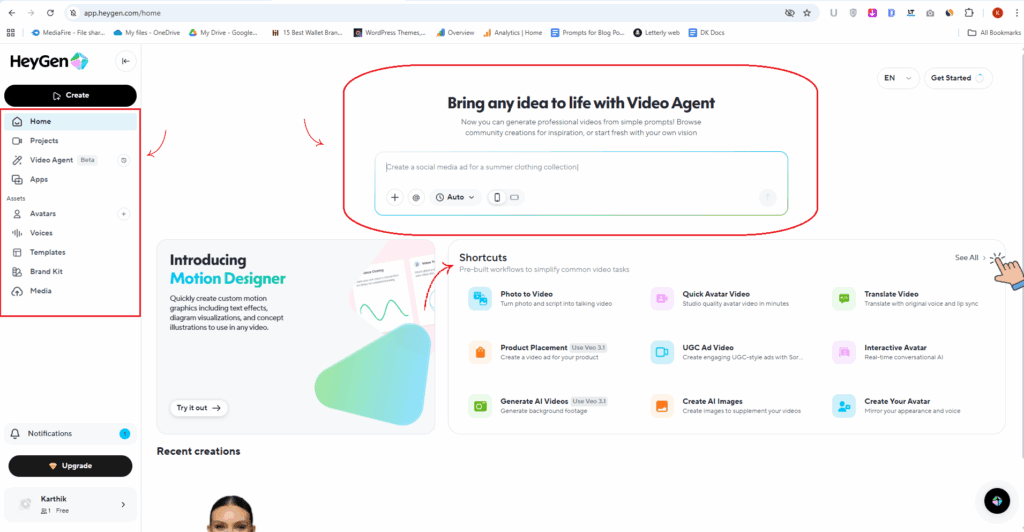
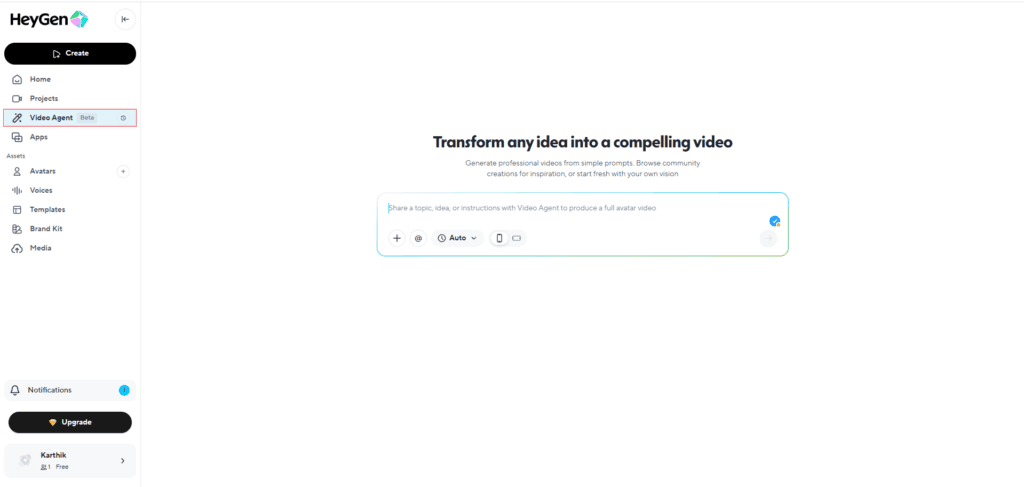
Once you log in, you’ll land on HeyGen’s main dashboard wizard — the central hub of your creative process. Right at the top, you’ll see a ChatGPT-style input area where you can describe your idea or script. Then, like magic, HeyGen’s Video Agent brings your words to life in video form.
It’s almost like using ChatGPT — but instead of generating text, HeyGen creates fully animated talking videos. Pretty cool, right?
Keep in mind, the Video Agent is still in beta, so some features might feel a bit experimental or limited. But it’s already a fascinating glimpse of where AI video creation is heading.
🧭 Navigating the HeyGen Dashboard
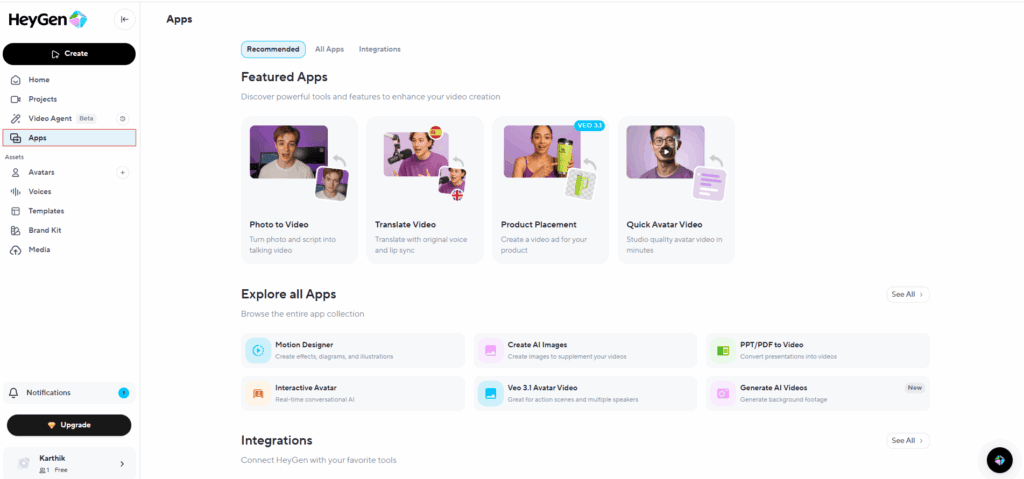
On the left-hand sidebar, you’ll find the main navigation menu. Here’s what each section does:
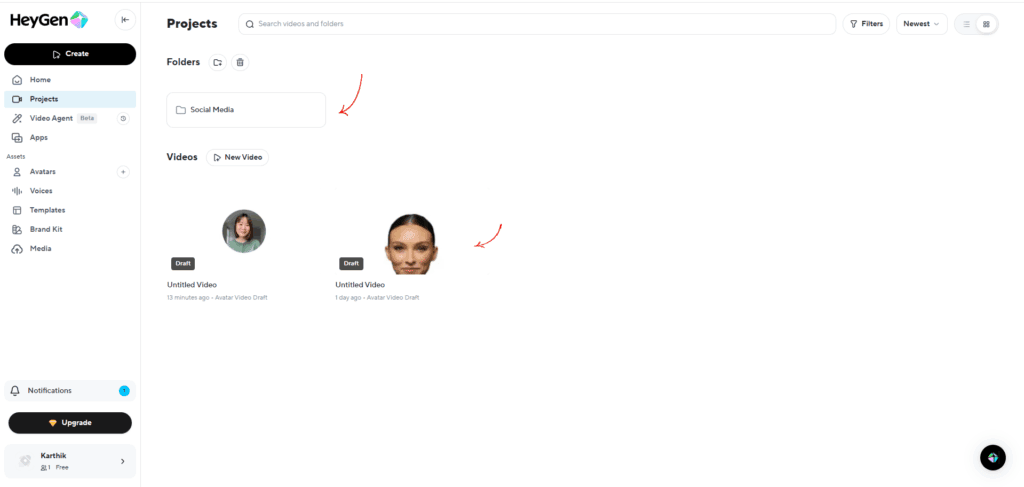
👩🎨 The Assets Section – Where Your Creativity Lives
This section is where you’ll find all the tools that bring your video ideas to life:
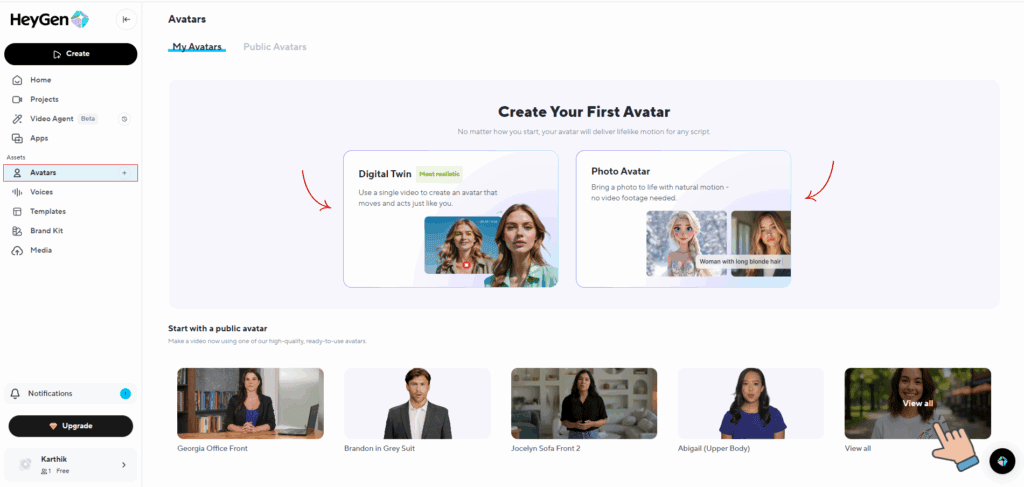
Avatars
Browse HeyGen’s public avatar library or create your own AI twin by uploading a photo. You can filter avatars by gender, age, or ethnicity, and even mark your favorites so they’re easy to find later. This is where your video’s “face” truly comes to life.
Voices
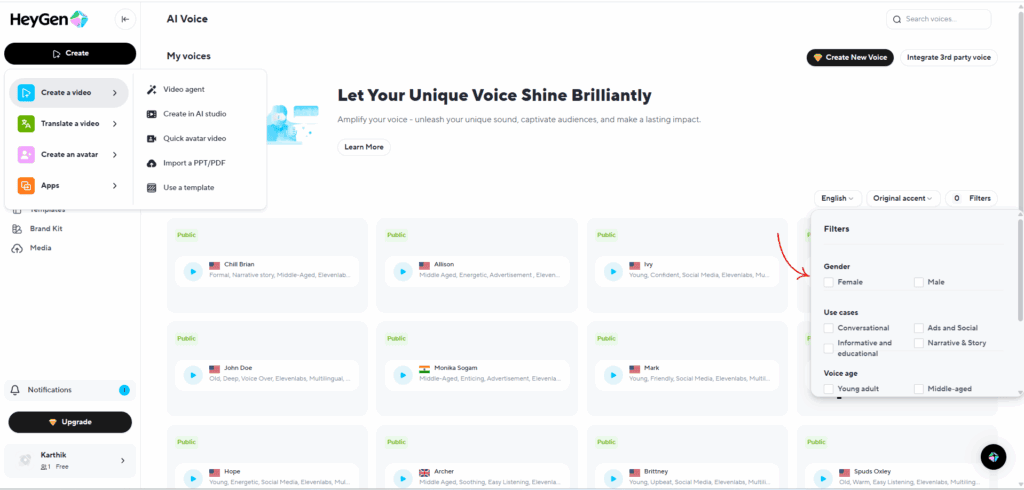
This is where the magic of sound really happens. HeyGen gives you access to an incredible range of voices for every kind of video you can imagine. In fact, there are over 1,600 English voices alone – plus thousands more across other languages each. You can easily filter by gender, accent, age, or use case until you land on that perfect voice that fits your avatar’s personality and your project’s tone. Whether you want something professional, friendly, or just plain fun – there’s a voice for it in HeyGen.
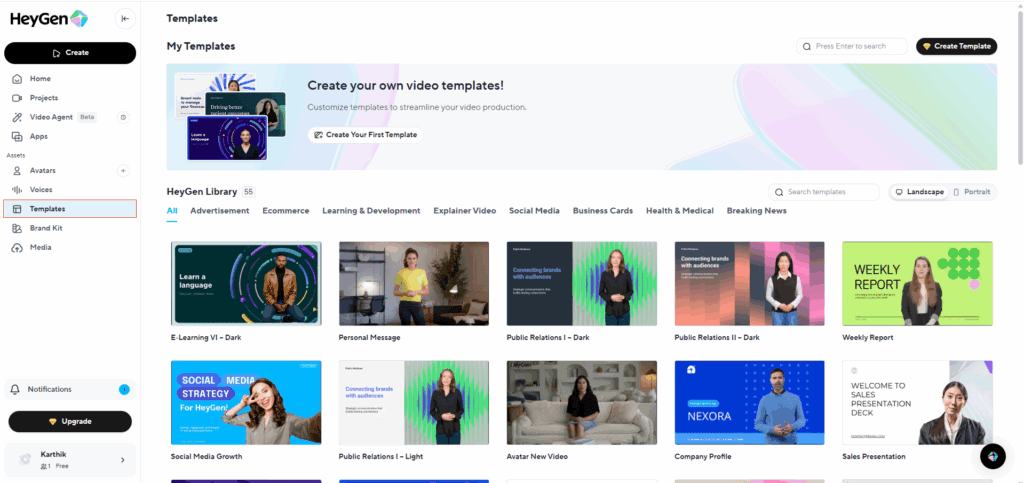
Video Templates
Want to save time? Choose from HeyGen’s wide range of ready-to-use video templates for different use cases — marketing, education, product demos, and more. Simply pick one and customize it using HeyGen’s editor studio to fit your brand and message.
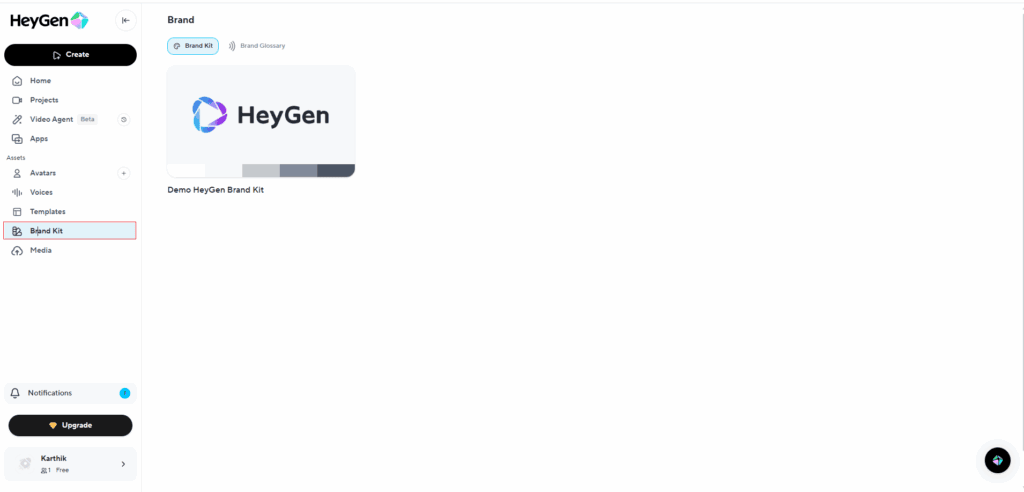
Brand Kit
Keep your videos consistent by uploading your logo, brand colors, and fonts. Every video you create stays perfectly aligned with your visual identity.
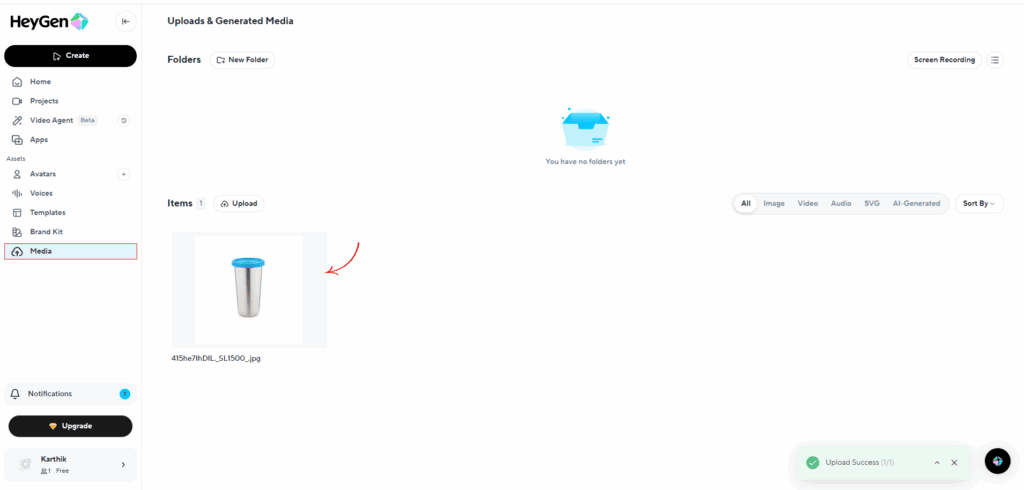
Media
Media – A dedicated library for all your uploaded content — organize images, videos, and audio files neatly into folders for quick access.
💳 Upgrading Your Plan
At the bottom of the dashboard, you’ll find the Upgrade button. Clicking it takes you straight to HeyGen’s pricing page, where you can review plans, compare features, and choose the subscription that best matches your goals. The process is simple, transparent, and can be done in just a few clicks.
HeyGen Features (Deep Dive)
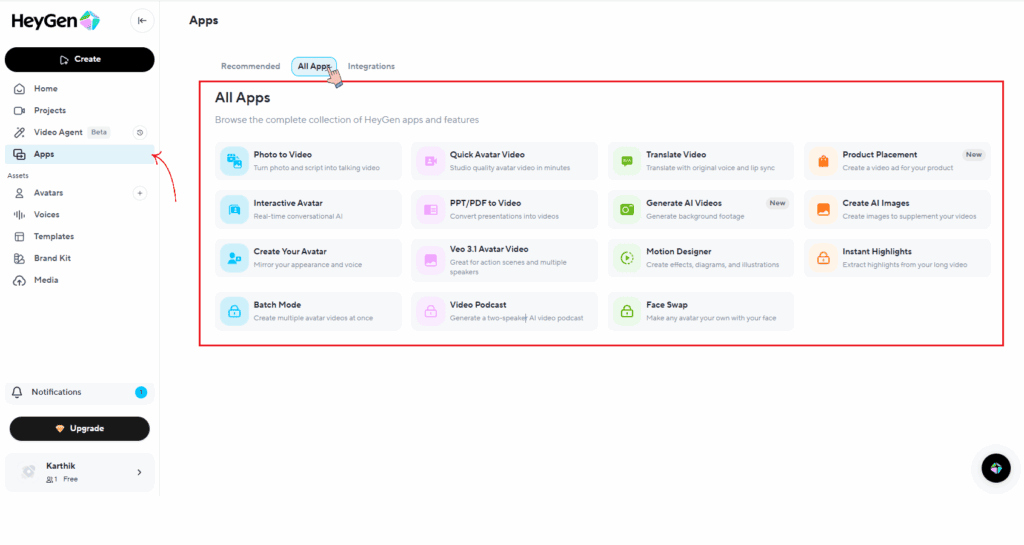
Photo to Video
Once you step into Photo2Video, the fun begins. Start by uploading the photo of your avatar — the one you want to bring to life. Then, simply paste your script and pick a voice from HeyGen’s massive library.
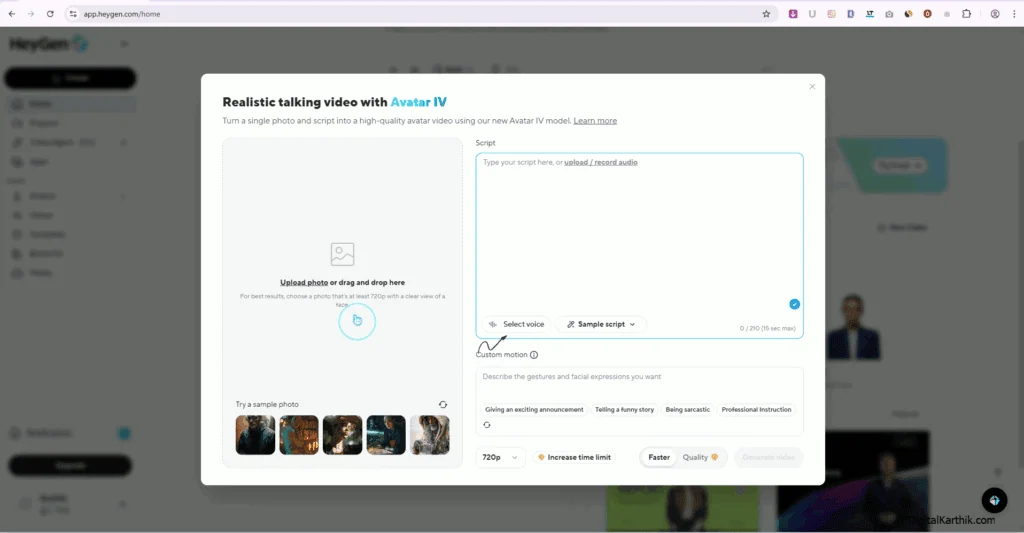
HeyGen makes voice selection easy — you can filter by gender (male or female), age group (young, middle-aged, or older), language, and even accent. There are hundreds of languages available, plus voice styles for every mood — from conversational and educational to advertising, narrative, and storytelling.
What makes it even cooler is the Custom Motion option. Just type in the expression you want your avatar to show — like calm and focused, excited and expressive, warm and welcoming, or intense and emotional — and HeyGen instantly adds that touch of realism to your video.
Once everything’s ready, choose your preferred resolution (1080p is highly recommended for crisp quality) and hit Generate Video. Within minutes, your uploaded photo transforms into a lifelike avatar, speaking your words with natural motion and emotion.
And that’s it — your AI-powered talking video is ready to watch. Now, it’s your turn to judge just how real it feels!
Quick Avatar Video
HeyGen already offers a massive library of public avatars, so you don’t even have to create one from scratch. Just hit “Quick Avatar Video”, pick the avatar you like best, and let them bring your script to life — all in a matter of minutes.
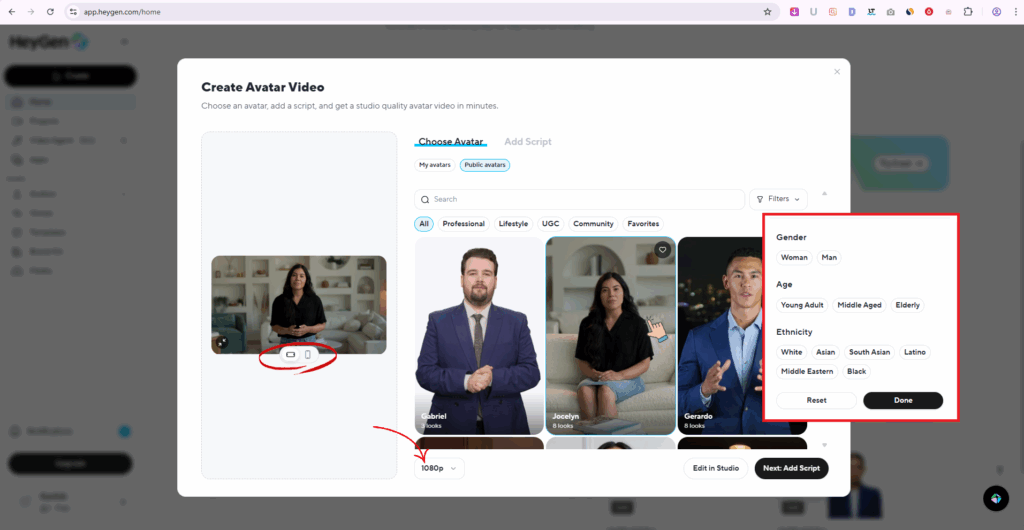
You can adjust the aspect ratio — go landscape for long-form videos or portrait for short-form content like Reels and TikToks. Then, choose your video resolution (always go with 1080p for crisp, high-quality output).
For this demo, I chose Jocelyn, one of HeyGen’s most popular avatars. When I clicked on her, I discovered she comes with eight unique looks — four in a white shirt and four in a black one, all filmed in the same setting but from different camera angles. That’s a brilliant touch, because you can segment your video using these angles to make it feel like a real multi-camera shoot — while it’s still completely AI-generated.
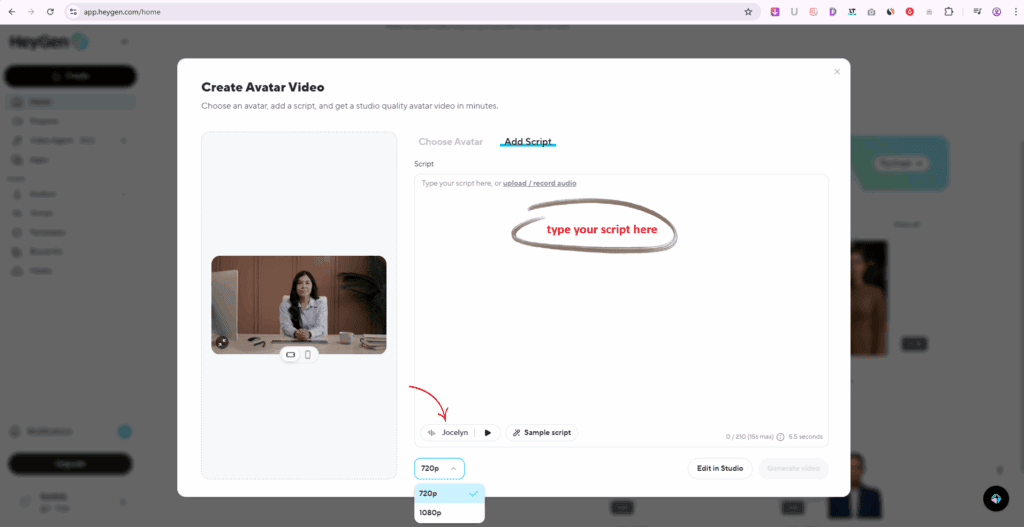
Once you pick your preferred look, it’s time to add your script. You can either paste it directly or upload an audio file. At the bottom, you’ll find the voice settings — Jocelyn’s default voice matched perfectly with her tone and appearance, so I decided to stick with it. It sounded incredibly natural.
Finally, hit Generate Video — and within a minute, your chosen avatar starts speaking your words with lifelike expression and movement. The result? A video so realistic it’s hard to believe it’s powered entirely by AI.
Translate Video
What if your videos could speak every language — without reshooting, hiring voice actors, or dealing with complicated editing timelines?
That’s exactly what HeyGen video translation does.
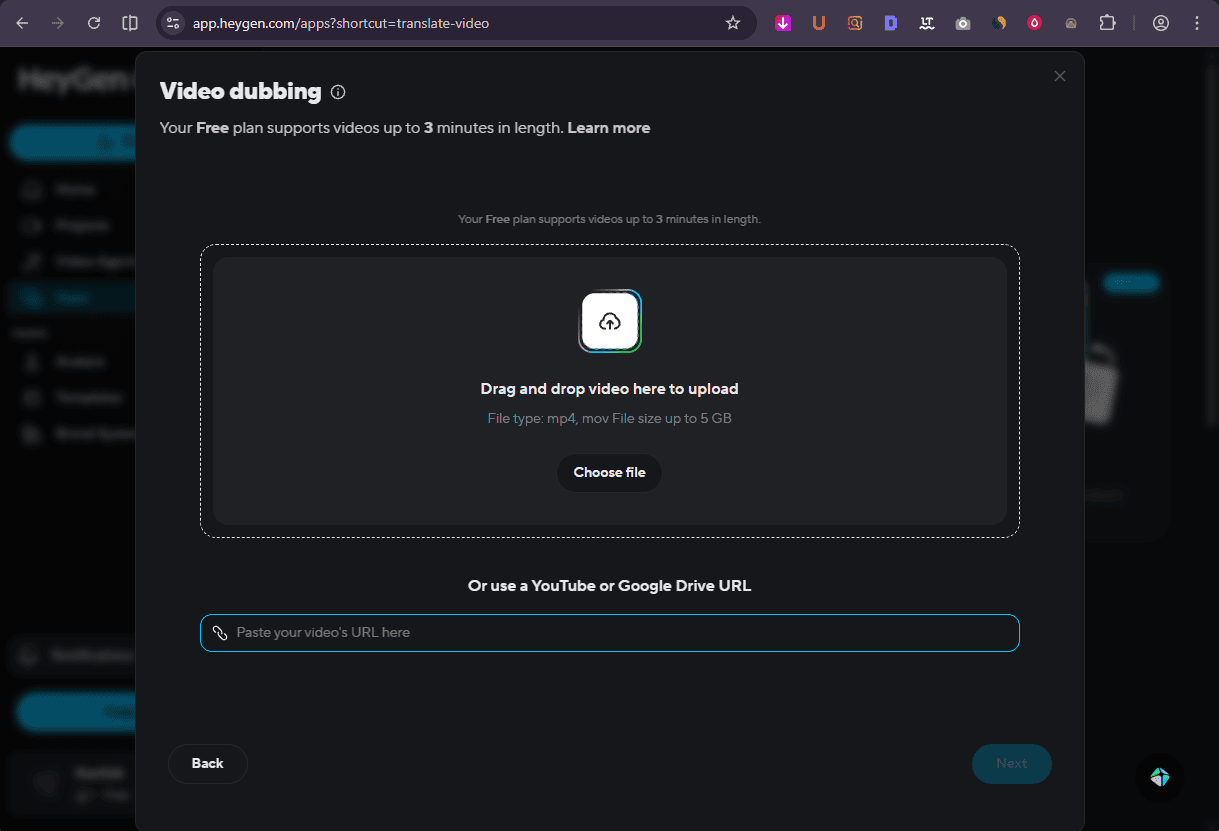
Just upload your video (or paste a YouTube link), choose your target language, and within minutes you’ll have a fully dubbed version ready to reach a global audience. No production chaos. No expensive localization process. Just fast, scalable translation that actually looks and sounds natural.
Two Smart Translation Options (Choose What Fits Your Video)
HeyGen keeps it simple with two powerful options:
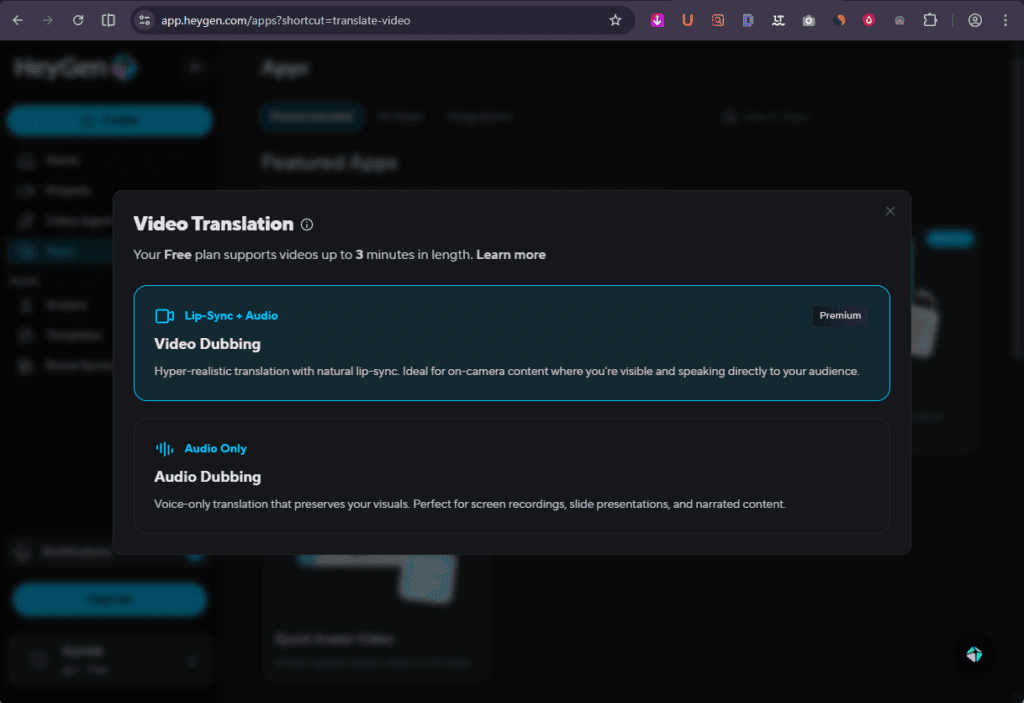
1️⃣ Lip Sync + Audio (Video Dubbing)
If your video includes someone speaking on camera — a presenter, instructor, or creator — this is the option you want.
You don’t just get a translated voiceover.
You get:
The speaker’s mouth movements align with the translated audio, so it doesn’t feel dubbed — it feels native. That authenticity makes a huge difference in viewer trust and engagement.
2️⃣ Audio-Only Dubbing
If your video is a:
Then you don’t need lip sync.
With audio-only dubbing, HeyGen translates the voiceover while keeping everything else intact. It’s fast, clean, and perfect for educational content, demos, and internal training videos.
Scale Your Content Without Scaling Your Costs
The real power of HeyGen’s video translation feature?
You can localize one video for multiple markets in minutes.
Instead of creating separate versions from scratch, you simply generate translated versions and publish them wherever your audience lives. That means:
- Faster international expansion
- Lower production costs
- Consistent messaging across languages
- More reach without more work
If you’re serious about growing globally, this isn’t just a feature — it’s a leverage tool.
One video. Multiple languages. Global impact.
Product PlacementNew
Forget the logistics nightmare of traditional video shoots. HeyGen’s AI Product Placement tool is officially killing the biggest bottlenecks in e-commerce marketing. You can now put your physical product directly into the hands of a digital avatar that looks, moves, and speaks like a professional influencer.
No cameras, no studio fees, and zero “talent” coordination. Just high-converting video content ready in sixty seconds.
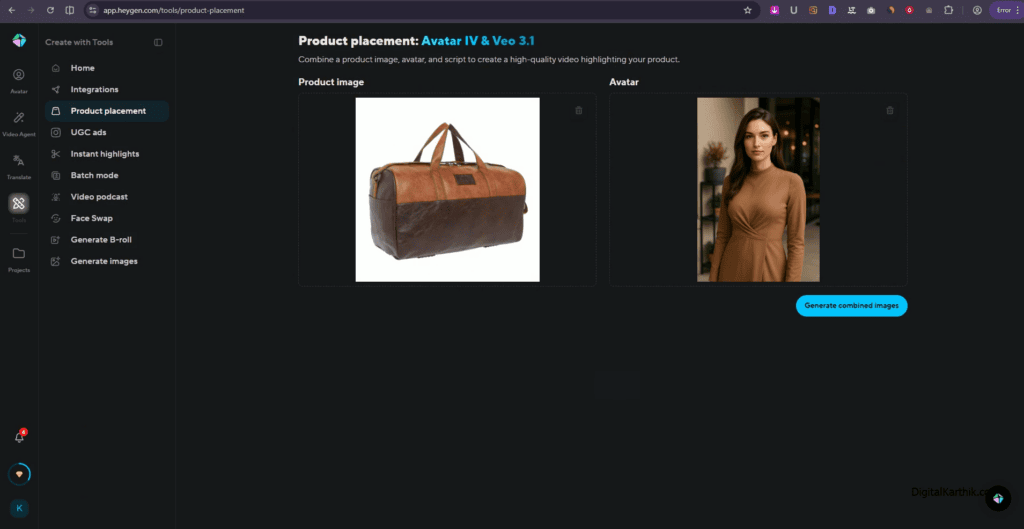
Three Steps to a High-End Product Review
You don’t need a film degree to make this work. It’s a literal three-step shortcut to a professional-grade asset:
- Drop the Visuals: Upload an HD photo of your product and choose a digital avatar that fits your brand’s vibe.
- Script & Voice: Drop in your copy and pick a voice that resonates with your audience.
- The Magic: HeyGen’s AI generates the speech, perfects the lip-sync, and—most impressively—maps the product to the avatar’s hand movements for a natural feel.
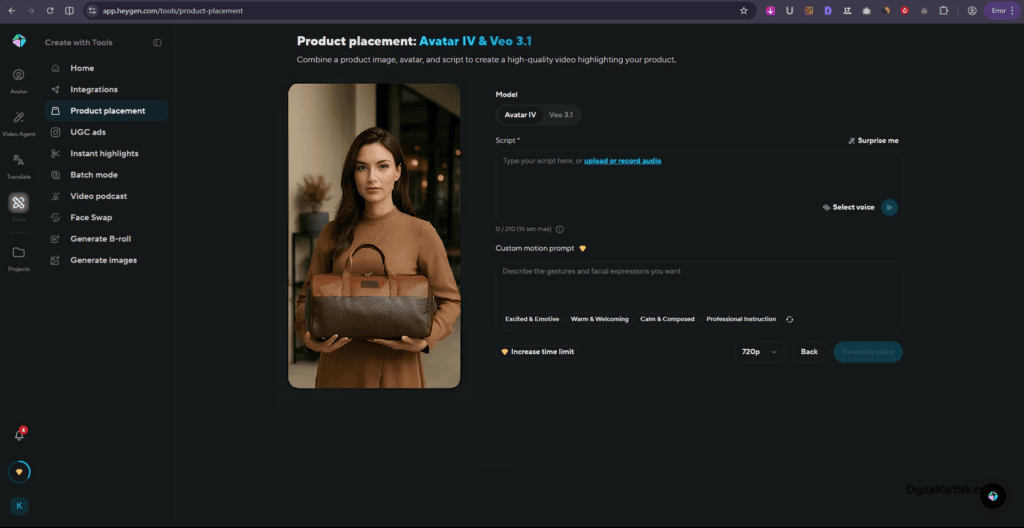
Why Marketers are Ditching the Film Crew
The old way of creating product videos is broken. It takes weeks to coordinate actors, rent gear, and edit the final cut. This tool flips the script for a few key reasons:
- Zero Overhead: No expensive studio rentals or film crews required.
- Instant Turnaround: Get your job done in under a minute, not weeks of post-production.
- Perfect Consistency: Your “influencer” never has an off day, stays on brand, and is always available for a retake.
If you’re an e-commerce seller looking to scale your video ads without blowing your budget on a production house, this is the shortcut you’ve been waiting for.
UGC Ads
Traditional User-Generated Content (UGC) is a logistical nightmare. To get one decent ad, you have to scout creators, ship physical products, and wait weeks for edits. If the final “vibe” is off or the ad flops, you’re back at square one—out of time and out of budget.
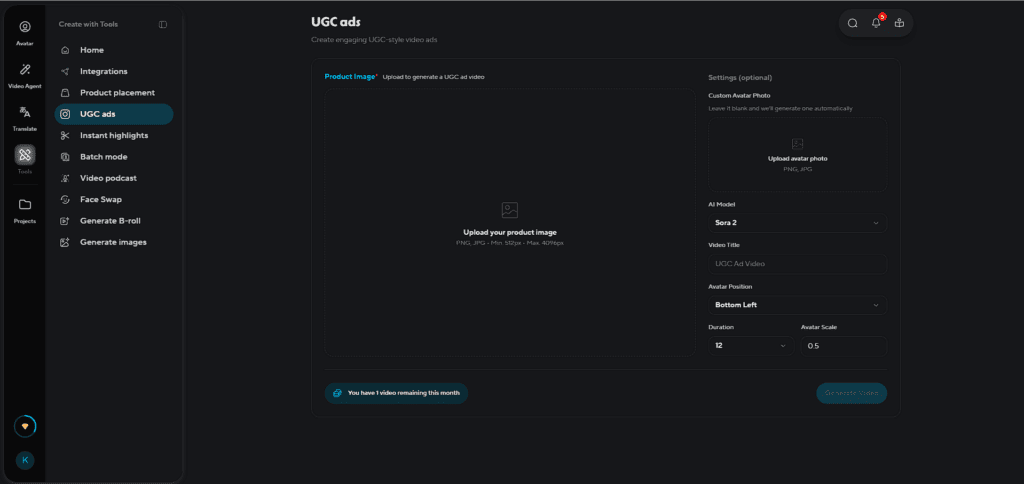
From 14 Days to 14 Minutes
HeyGen flips the script. You don’t need a film crew or a month of lead time. By uploading a product image and a single professional photo of a creator, influencer, or even yourself, the AI Agent takes over.
It generates ultra-realistic video ads that look, move, and talk like a real human. You get that authentic “shaky cam” feel—filmed in a living room, studio, or kitchen—without ever picking up a camera.
Scale Your Personal Brand (Without Being on Camera)
If you’re an agency owner or a creator building a personal brand, this is your unfair advantage.
- Rapid Variations: Instead of waiting two weeks for one video, you can churn out 20 variations in a single day.
- Total Control: Swap backgrounds, change “costumes,” and test different hooks instantly.
- Infinite Scaling: You can finally scale your content output without actually being physically present for every shoot.
The Ultimate Creative Testing Engine: HeyGen isn’t just another “AI Avatar video maker.” It’s a high-speed testing engine. It gives you the raw, relatable feel of a TikTok creator combined with the precision of a high-end ad agency.
If you want to create fast, test often, and scale faster, this is your shortcut to winning the attention economy.
Instant Highlights
Editing long videos takes time. Finding the best moments, cutting clips, and formatting for social media can feel overwhelming.
That’s where HeyGen Instant Highlights helps.
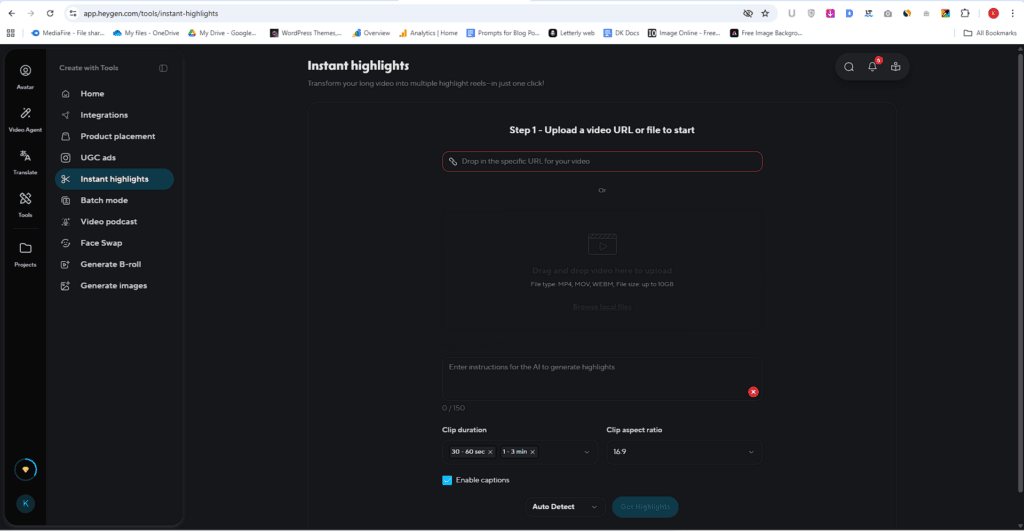
What It Does: Instant Highlights uses AI to scan your full video and automatically pick the most engaging moments. It then turns those into short, ready-to-share clips.
You don’t need editing skills. Just upload your video, and the tool does the rest.
It will save time, post more short video content, get better engaging clips – quickly & easily
Batch Mode
Creating one video is easy. Creating 10–50 versions with different scripts, voices, or audiences? That’s where things slow down.
That’s why HeyGen Batch Mode is powerful.
What It Does: Batch Mode lets you generate many video versions at once. You can change the script, avatar, voice, or language across each version—without creating them one by one.
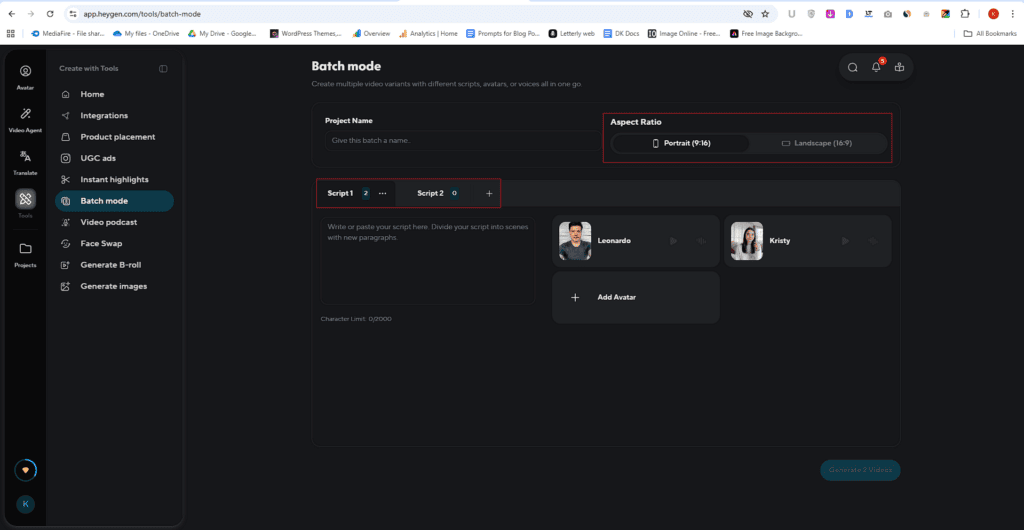
Think of it like bulk content creation. Upload your variations, and the AI produces all videos in a single run.
If you want to grow your content, test ideas, or personalize videos without extra effort, this feature saves you time and multiplies your output.
Video Podcast
Want to create a video podcast without cameras, mics, or editing headaches?
HeyGen makes it ridiculously simple.
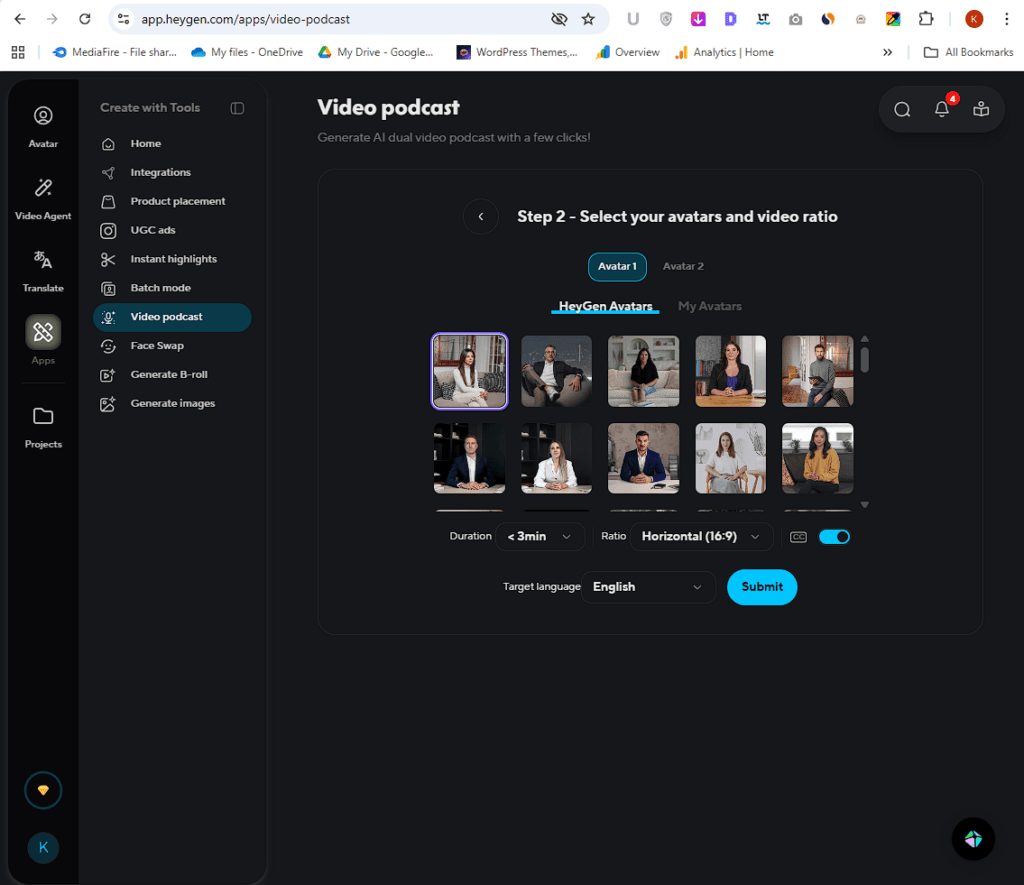
With its Video Podcast feature, you can turn a single input—like a PDF, blog post, or link—into a two-speaker, dual-host AI podcast video. No recording. No setup. Just upload and generate.
Why this stands out
- Instead of filming real conversations, HeyGen uses AI avatars with customizable voices to simulate a natural, back-and-forth discussion.
- What you get feels like a real podcast—two hosts talking, reacting, and explaining—except it’s fully AI-generated.
It’s perfect for turning your:
- Blog posts
- Educational lessons
- Articles
into engaging, face-to-face video content in minutes.
How it works (super simple)
- Upload your content (PDF or blog/article URL)
- Choose two AI hosts (avatars + voices)
- Let the AI turn your content into a conversational script
- Export a ready-to-publish video podcast
That’s it. No learning curve.
Why creators love it
Traditional podcasting takes time—planning, recording, editing, re-editing.
HeyGen skips all of that.
You can:
- Scale content faster
- Repurpose blogs into video podcasts instantly
- Publish video-first content for platforms like YouTube or LinkedIn
If you’ve been putting off starting a podcast because it feels too complex, this changes the game.
HeyGen lets you go from content → conversation → video in minutes—without the usual effort.
Face Swap
Want to place any face onto a photo—without learning editing tools?
HeyGen makes it incredibly easy.
Fast, Simple, and Surprisingly Real
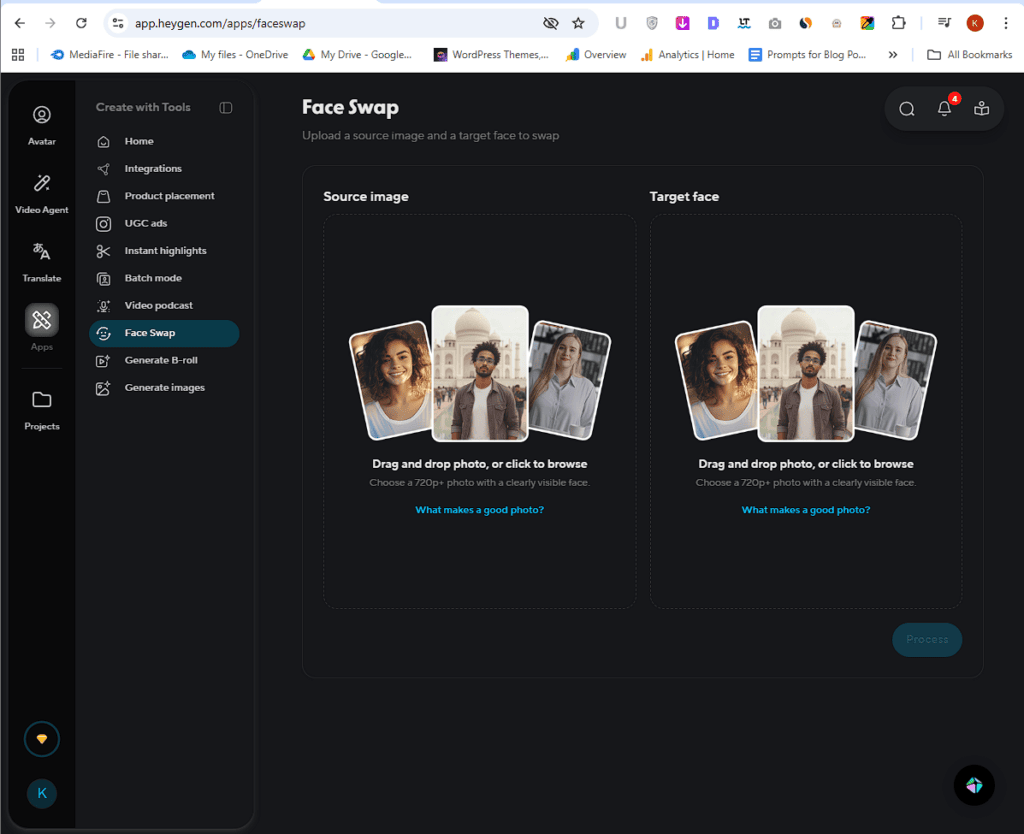
With HeyGen’s Face Swap feature, all you need is:
- A source image
- A target face
Upload both, and the AI does the heavy lifting. No manual edits. No complex steps.
Not Just a Basic Overlay
This isn’t a simple “cut and paste” job.
HeyGen’s AI goes deeper. It automatically adjusts:
- Skin tone
- Lighting
- Facial expressions
So the final image looks natural—not fake or forced.
What you get: In just a minute, you’ll have a fully swapped photo that feels real and expressive—like it was captured that way in the first place.
Generate B-Roll
Want your videos to feel more dynamic, polished, and engaging—without spending hours filming or digging through stock footage? Heygen’s Generate B-Roll feature makes it ridiculously easy.
Instead of juggling multiple tools or shooting extra clips yourself, you can now create custom, story-driven B-roll instantly—tailored to your script.
Why This Feature Matters
Let’s be real—great videos aren’t just about talking heads. It’s the supporting visuals that keep viewers hooked.
With Heygen, you can:
- Skip stock footage hunting
- Avoid extra shooting setups
- Generate visuals that actually match your message
The result? Cleaner storytelling with way less effort.
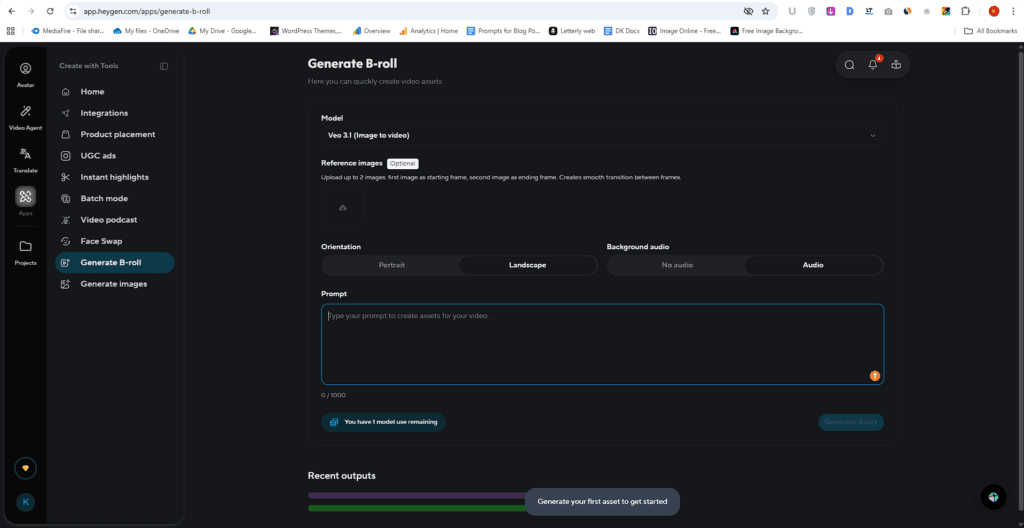
How It Works (Step-by-Step)
Getting started is simple and fast:
1. Choose Your Model
Pick from powerful options like VEO 3.1, VEO 3 Fast, Sora 2 Pro, Kling, Sedans, Hailiu 2 Pro, or Runway Gen-4—depending on your style and speed needs.
2. Add an Avatar (Optional)
Want your avatar inside the B-roll? Upload it and integrate seamlessly.
3. Select Orientation
Choose portrait for social content or landscape for YouTube and widescreen videos.
4. Set Background Audio
Decide whether you want audio included or keep it silent for flexibility.
5. Enter Your Prompt
Describe the scene or context—this is where the magic starts.
6. Hit Generate
Within moments, you’ll get custom B-roll that fits your script perfectly—ready to download and use.
Heygen removes the friction from video production.
No cameras. No stock footage rabbit holes. No wasted time.
Just relevant, high-quality B-roll generated on demand—so you can focus on telling better stories, faster.
The Setup
To see how powerful the B-roll generator really is, I ran a hands-on test.
I selected the Ring model, set the orientation to landscape, enabled background audio, and used a detailed prompt (shared below). No edits. Just a raw generation.
The Prompt I Used: A futuristic concept with a cinematic feel:
Rome 2099. A realistic ancient Roman gladiator, seen from behind, walking toward a futuristic colosseum. Sword and shield in hand. Mid-distance shot. Smooth dolly-in camera movement. Warm golden hour lighting with subtle neon elements. Flying vehicles above. Clean, stable, ultra-realistic sci-fi atmosphere.
And the result? Genuinely impressive.
The video felt cinematic right from the start. The camera movement was smooth, the scene stayed stable, and the overall composition looked intentional—not random.
Generate Images
Need eye-catching images for your videos, blogs, or social posts—without touching any design tool?
HeyGen’s Generate Images feature makes it effortless.
You don’t need stock websites or designers anymore. Just describe what you want, and the AI turns it into a ready-to-use visual in seconds.
Choose the Right AI Model
HeyGen gives you access to multiple powerful image models, so you can pick what fits your style best: Flux 2 & Flux Context, GPT Image, SeedDream, Ideogram, Runway Gen-4, NanoBanana, Recraft (Version 4 & 4 Pro)
Each model offers a slightly different look—so you can experiment and find what works for your content.
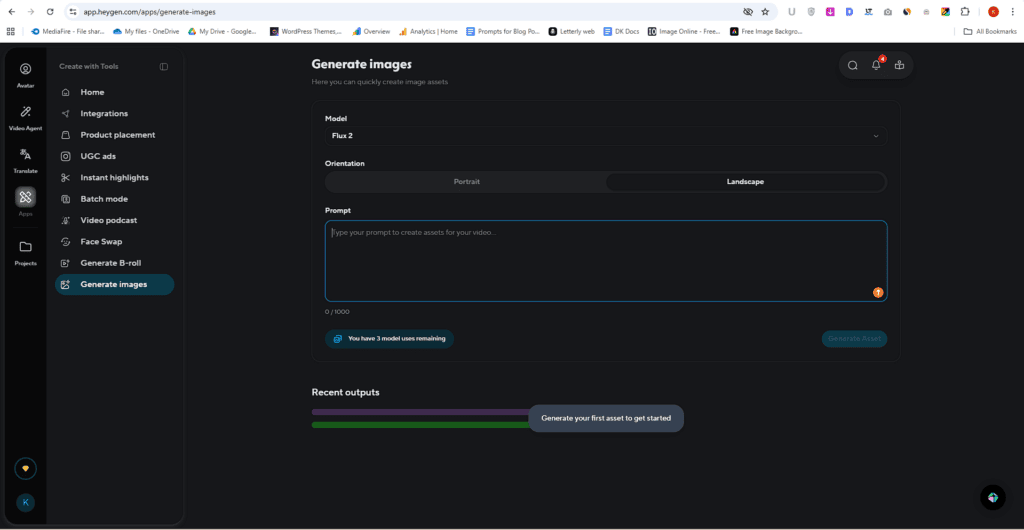
How it works (quick steps)
- Select your image generation model
- Choose orientation (portrait or landscape)
- Enter a clear text prompt
- Generate and download your image
That’s it. No learning curve.
HeyGen doesn’t just generate random images—it creates visuals that match your content and intent.
You get:
- Content-relevant images that fit your topic
- Multiple styles and variations
- Instant results without back-and-forth edits
Why creators love it
Designing or finding the right image usually takes time.
With HeyGen, you can:
- Skip stock image hunting
- Avoid hiring designers for simple tasks
- Create custom visuals on demand
If you want fast, flexible, and content-ready images without the usual hassle, HeyGen’s Generate Images feature gives you exactly that—simple, quick, and reliable.
To see how well it actually performs, I ran a quick test.
I selected the Nano Banana model, set the orientation to landscape, and used a simple prompt (shared below). No tweaking. No extra edits.
Scenic countryside landscape at sunset, a winding dirt path leading toward a rustic wooden farmhouse with a sloped roof and worn wooden door, surrounded by lush green grass fields and a peaceful rural atmosphere. On the left side, a large blooming cherry blossom tree with delicate pink flowers and wide spreading branches, its trunk thick and gnarled. Along the path, rows of white tulips in full bloom create a soft leading line, their petals swaying gently in the breeze. The golden sun is low on the horizon, with sun rays shining through the tree, casting a warm glow that lights the scene. The sky is filled with soft gradient colors of purple, pink, and orange during golden hour, with ultra-realistic, cinematic lighting, depth of field, and highly detailed textures, captured in 8K, HDR, with sharp focus, and no text, perfect for a vertical wallpaper.
Just a straight, real-world use case.

And honestly—it impressed me.
The image came out clean, natural, and visually pleasing.
Lighting felt right. The mood was calm and balanced. Nothing looked forced or over-processed.
Most importantly, it didn’t feel like a typical “AI-generated” image.
HeyGen Pros and Cons
What I Liked (Pros)
What Could be improved (Cons)
HeyGen Pricing & Plans (2026)
Let me break this down simply so you don’t get confused by all the options.
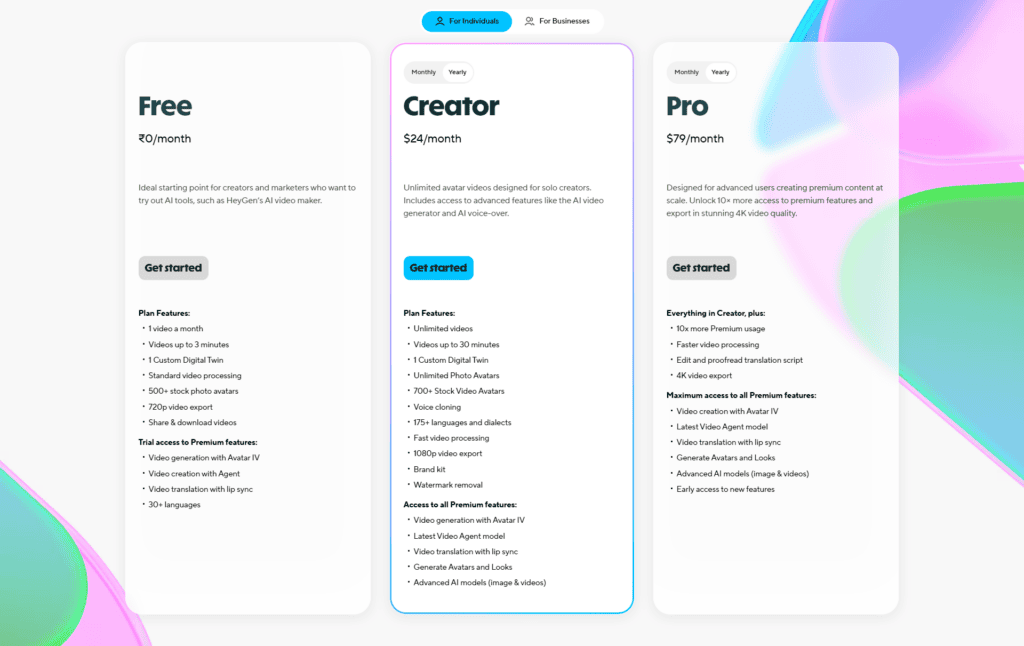
HeyGen uses a tier-based pricing model.
1. Free Plan — Best for Testing
- Cost: 0$/month
- 1 video/month (with watermark)
- 720p quality, limited features
👉 Good if you just want to try the tool before spending. Not for serious use.
2. Creator Plan — Most Popular
- Cost: ~29$/month ($24 annual)
- Unlimited videos
- Unlimited Photo Avatar
- 1080p export, no watermark
- Voice cloning
- 175+ languages and dialects
👉 This is where the real value starts. Most bloggers, marketers, and creators use this plan.
3. Pro Plan — For Heavy Creators
- Cost: ~99$/month ($79 annual)
- Everything in Creator + Faster processing
- More credits for advanced AI features
👉 Best if you create videos daily or need high-quantity output at scale much quicker.
Business / Enterprise — For Teams
- Starts ~149$/month (119$ Annual)
- Custom pricing for Enterprise
- Team collaboration + shared workspace
- Longer videos + integrations
👉 Useful for agencies, teams, and companies producing videos regularly.
Which Plan Should You Pick?
Here’s the simple way to decide:
- Beginner / Testing → Free Plan
Try the tool, understand how it works. - Solo Creator / Blogger → Creator Plan (Best Choice)
You get everything needed to create unlimited videos without restrictions. - High-Volume Creator → Pro Plan
Upgrade only if you need 10x premium features. - Team / Business → Business Plan
Only worth it if multiple people need access and collaboration features.
Best Value HeyGen Plan Revealed
If you ask me honestly —
👉 Creator Plan gives the best value for 90% of users.
Why?
- Removes all major limits (no watermark, unlimited videos)
- Includes key features like voice cloning and multi-language support
- Much cheaper than hiring editors or recording videos
In simple terms:
You pay ~29$/month (24$/month if billed yearly), but you save hundreds (or even thousands) in video production costs.
Final Thoughts: Is HeyGen Worth It?
Yes, it’s worth it — especially if you’re serious about scaling video content without sacrificing quality.
If you’re a creator, marketer, educator, or business owner who needs consistent video output, HeyGen is a strong investment. The avatars feel surprisingly natural, and for most use cases, they don’t come across as “AI-ish.” Add to that solid voice quality and multilingual support, and you can produce professional-looking videos fast — without cameras, actors, or editing headaches. For teams and individuals trying to scale content, this is where it really shines.
This is less suitable if you only create videos occasionally or don’t have a clear content strategy. Even though the pricing is fair for what it offers, it’s still a tool you need to use consistently to get real value. Also, if your content relies heavily on deep emotional storytelling or highly customized visuals, traditional video might still be a better fit.
Biggest strengths: realistic avatars and excellent value for money.
Biggest weaknesses: requires consistent usage to justify cost, limited deep customization.
Final call: Buy it if you want scalable, high-quality video production at a fair price. Skip it only if you won’t use it regularly.
Real User Reviews & Feedback
Trustpilot
Capterra
G2
Positive Stories
Spend a little time with recent reviews, and a clear pattern shows up: HeyGen has pulled ahead where it matters most—avatar quality. In the last few months, users consistently say the realism has improved a lot, to the point where many feel it outperforms other tools in the market.
While competitors still struggle to create truly human-like avatars, HeyGen users feel confident producing videos that actually look natural and professional, making it the go-to choice in this niche.
negative Stories
That said, even loyal users quietly point out that it’s not perfect yet. The most recent feedback still circles back to moments where avatar expressions or voice sync can feel slightly off, especially in longer or more complex videos. It’s not a dealbreaker, but it’s noticeable—and for a tool leading the space, expectations are higher. Tightening this last bit of realism should be a top priority before competitors start catching up.
FAQs – Discover Answers Readers usually Search
HeyGen clearly stands out as a powerful AI video tool that delivers impressive avatar realism and solid value for content creators. It simplifies video creation, saves time, and helps scale content faster—but it’s not perfect. The results still depend heavily on your script quality and how you use it. If you treat it as a tool (not a magic solution), it can genuinely boost your workflow.
At the end of the day, it’s a smart investment for the right users—but not for everyone.
So, what do you think—would you trust AI avatars like HeyGen for your content or still prefer real videos?
You might Also Like this:
HeyGen
4.9/5⭐
🔹Create videos from text scripts
🔹AI avatars speak your content
🔹No camera or filming needed
🔑Feature:
⚒️Ease of Use:
💰Pricing:
🤝Support: