What if one product link could become a full ad campaign in minutes? That’s the pitch behind Creatify AI—and honestly, it’s a strong one. Instead of filming UGC, hiring editors, or spending hours making ad creatives, Creatify claims to handle the heavy lifting for you. Product videos, talking avatars, image ads, even cloned winning ads—it’s all built for speed. But speed alone doesn’t make a tool worth using.
The real question is simple: does it actually help you make better ads, or just faster mediocre ones? I spent time inside Creatify testing the workflows, outputs, and real use cases to find out what it does well, where it struggles, and who it’s actually built for.
Creatify
Turn any product link into ready-to-run video ads, image creatives, and UGC content without production delays.
Pros:
Cons:
What is Creatify?
Turn any product idea or URL into high-converting video ads in minutes—without scripting, editing, or hiring creators.
Creatify AI eliminates production bottlenecks by automatically generating ad copy, visuals, and voiceovers, helping you launch campaigns faster and cheaper.
Scale winning creatives effortlessly, test more variations, and drive better ROI without creative fatigue or manual effort.
Who This Is Perfect For
Not Ideal For
What problem does Creatify solve?
My First Impressions (Unboxing Creatify)
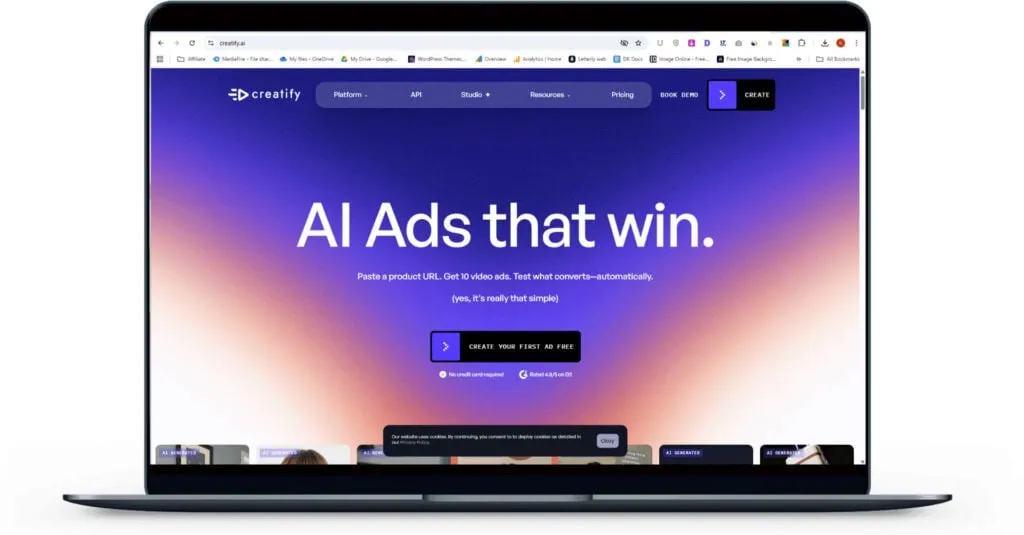
First glance feels clean and modern, not overwhelming. The dark theme with big visual cards pulls attention fast.
I instantly get the main idea—this is for creating ads. The “AI Video Ads,” “Avatar Video,” and “Asset Generator” blocks make it obvious what I can do.
The smaller tools below look useful, but I pause a bit deciding which one matters first. Slight choice overload there.
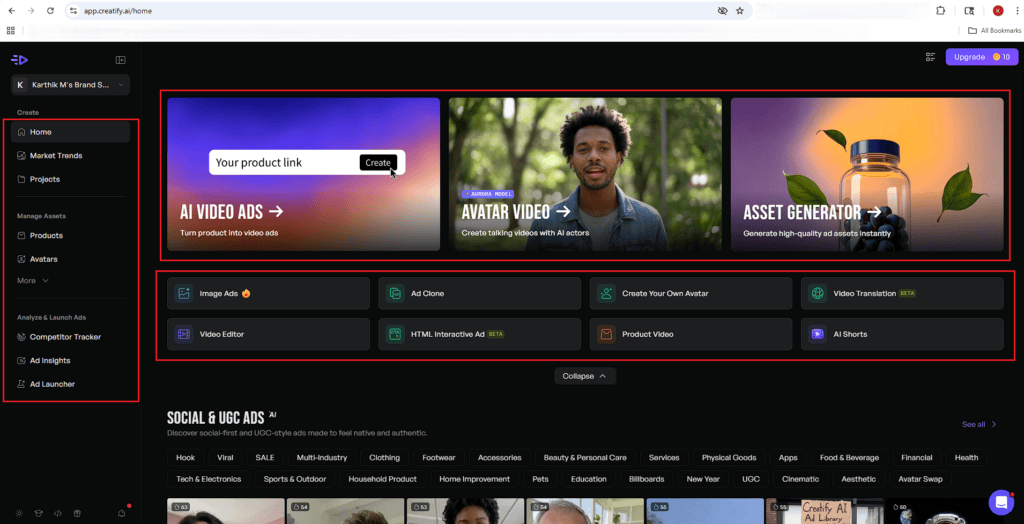
Left sidebar is clear but secondary—I don’t feel the need to explore it immediately.
Overall, I figure things out quickly and feel ready to try something within seconds.
Verdict: Simple, action-focused, and easy to start—just slightly crowded once you look beyond the main actions.
Creatify Features (Deep Dive)
Video Ads
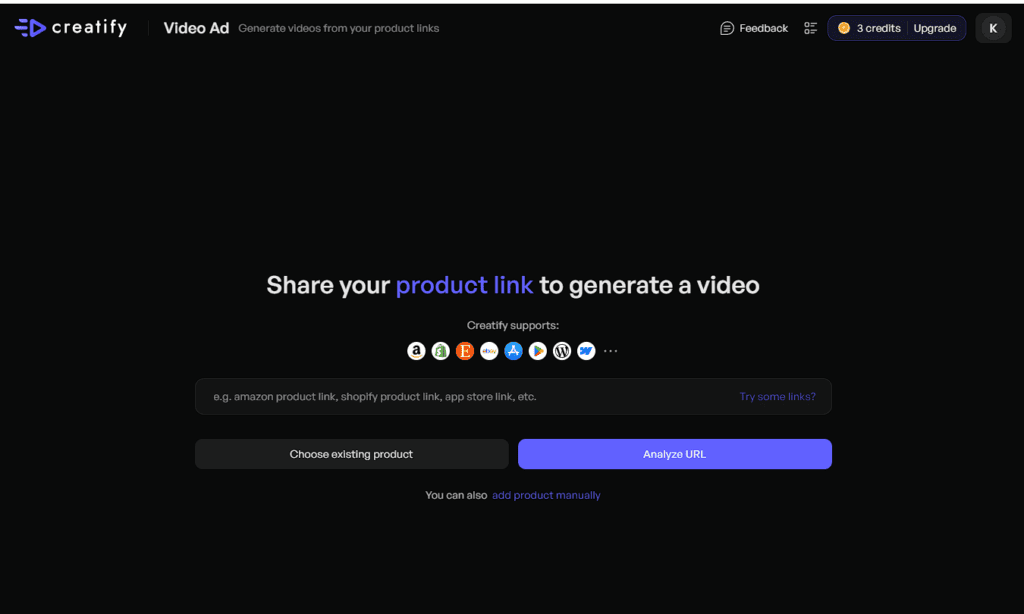
You begin by dropping in a product URL—Amazon, Shopify, app store, anything public—and hit Analyze URL.
If you’ve used that product before inside Creatify, you can skip the hassle and reuse it. Or manually add details if needed. Nice flexibility here.
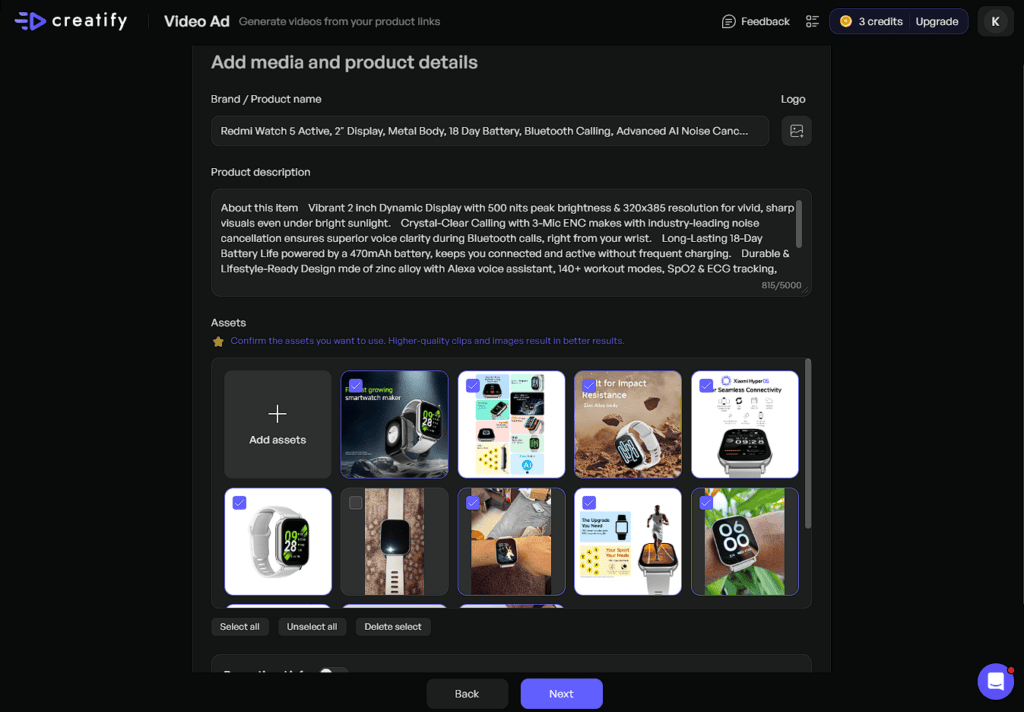
Once submitted, the AI pulls in product info, images, and assets automatically.
You don’t have to hunt for content or piece things together—it’s already done. That alone saves a lot of time.
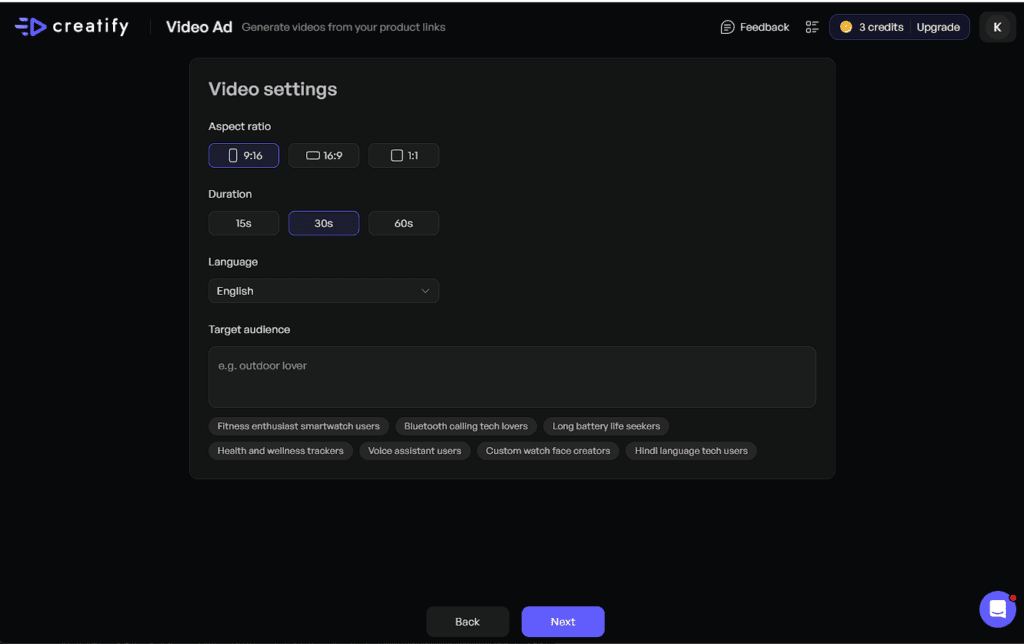
Next comes video settings:
- Aspect ratio (9:16, 16:9, 1:1)
- Duration (15s, 30s, 60s)
- Language (lots of options)
The interesting part? Target audience suggestions are auto-generated.
You’re not staring at a blank box wondering what to write—it gives you a solid starting point.
Then AI generates multiple script variations.
You can tweak the tone, regenerate options, or upload your own script if you want more control. It doesn’t lock you in—it just speeds you up.
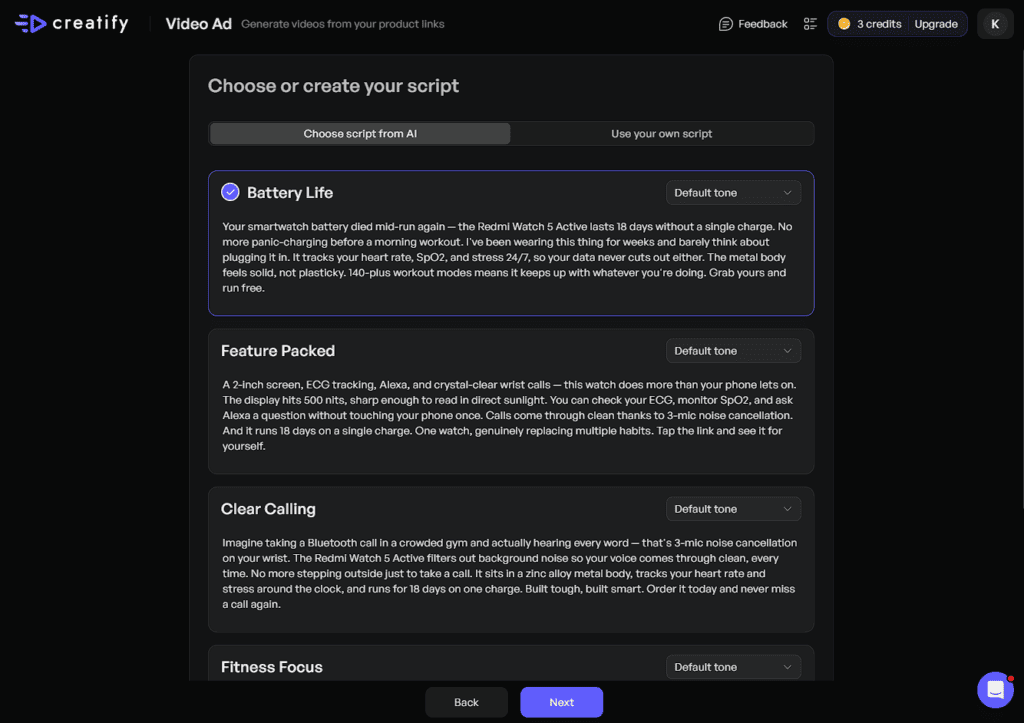
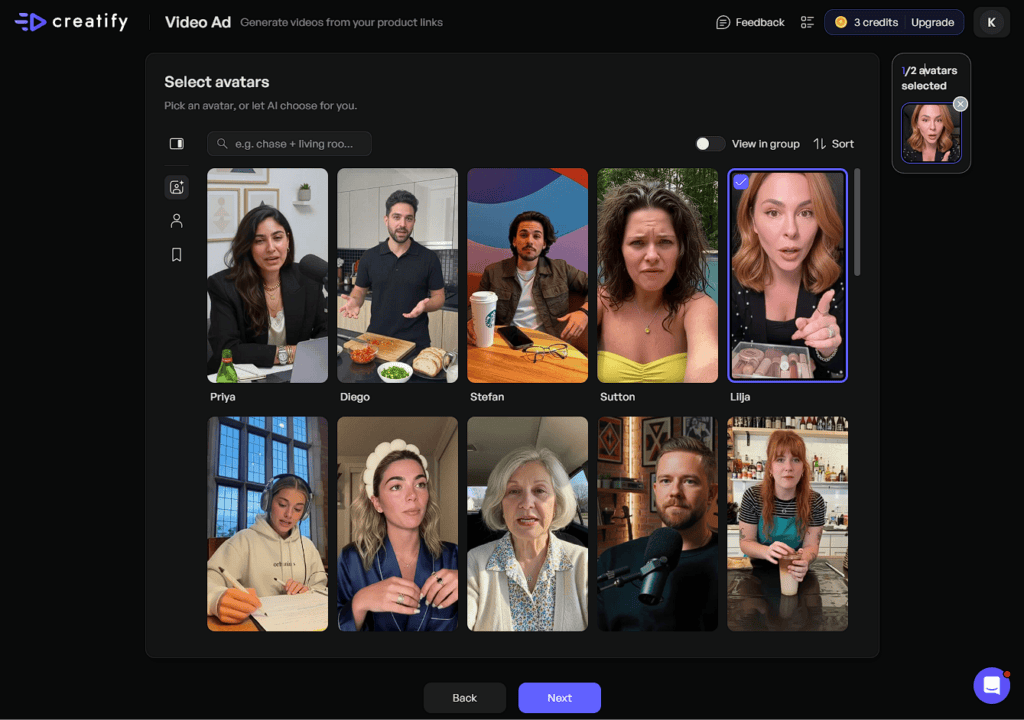
Pick an avatar to present your script. This adds a human layer without needing a real creator.
It’s simple: choose → next → done.
Creatify generates multiple video variations you can preview.
One thing to note—lip sync in preview isn’t perfect.
But once you render the final video, it fixes itself and looks clean.
Final Take
This flow removes the hardest parts—research, scripting, and production.
You’re mostly making decisions, not doing heavy work. And that’s exactly where a tool like this should help.
Avatar Video
This is where things get interesting—your script actually gets a face and voice.
Pick an Avatar
Start by choosing an avatar. This is what brings your script to life.
Creatify gives you a solid range depending on your plan:
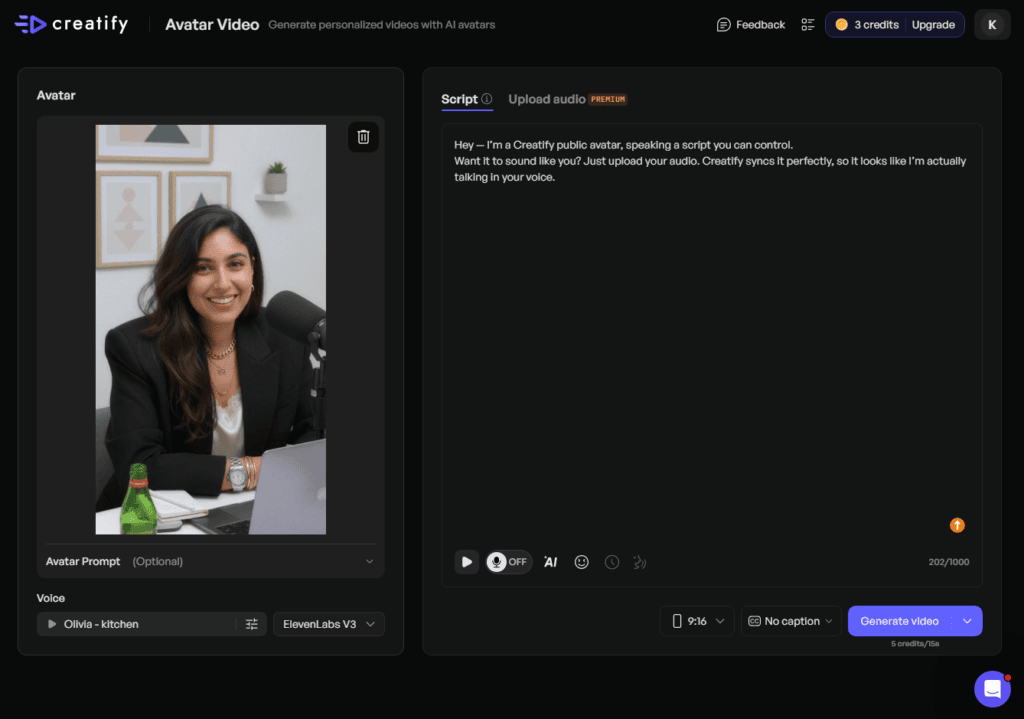
- Free plan: 100 actors
- Starter plan: 300 realistic actors
- Pro plan: 1,500 realistic actors + 3 custom avatars
In the pro plan, all features are unlocked, such as ad clone, competitor ad tracker, and more. For a detailed pricing breakdown, click here.
Voice That Actually Fits
Once you pick an avatar, Creatify suggests a preset voice that matches it well.
You can change it—but honestly, the default pairing usually works. Less tweaking, faster output.
Add Your Script (Or Experiment Freely)
Paste your script into the dialogue box. If you want to upload the video, you can too.
There’s also a caption toggle with built-in subtitle styles—which actually look good, not tacky.
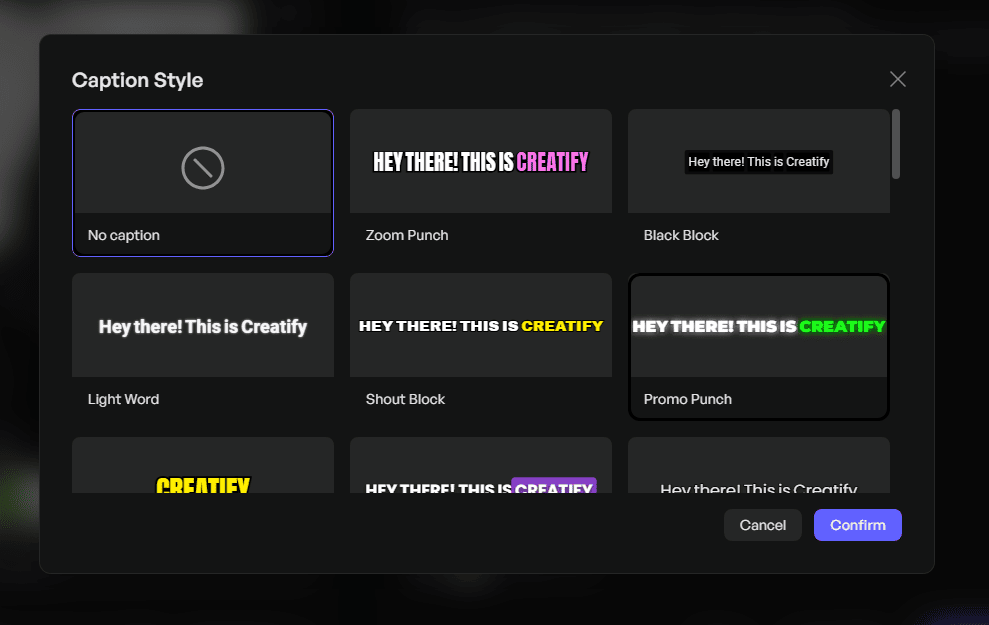
Hit Generate Video, and that’s it.
Here’s the exact script I tested:
“Hey, I’m a Creatify public avatar speaking a script you can control…”
Here’s the exact script I tested:
Hey — I’m a Creatify public avatar, speaking a script you can control.

Want it to sound like you? Just upload your audio. Creatify syncs it perfectly, so it looks like I’m actually talking in your voice.
The result? Surprisingly natural. The avatar doesn’t just read—it delivers.
Final Take
This isn’t just text-to-speech with a face.
It feels like you’re directing a virtual presenter—without cameras, actors, or retakes.
Asset Generator
Asset generator is where you can create images, videos, and audio using AI models of your choice.
This is the part where Creatify stops being “just an ad tool” and starts feeling like a full creative engine.
You’re not locked into one model or one format—you get options. A lot of them.
VIDEO:
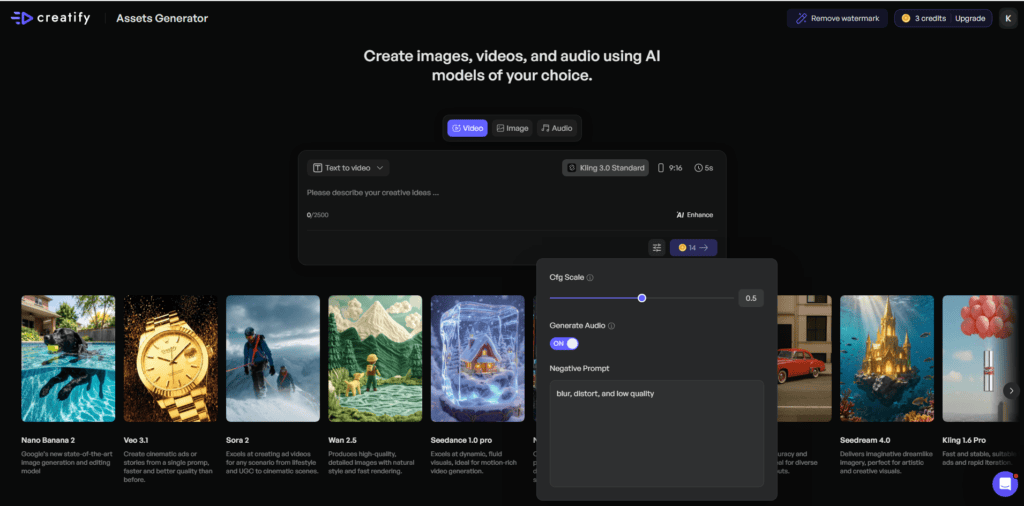
You can generate videos from text, images, or even reference videos.
Just write a prompt, pick a model, and go. Creatify plugs into a wide mix – Veo, Wan, Seedance, Sora, Grok Video, Pixverse V5, Minimax Hailuo, and Longcat.
Each model behaves differently, so there’s a bit of trial and error. But that’s the trade-off for flexibility.
You can choose:
- Aspect ratios (9:16, 16:9, 1:1)
- Up to 12 seconds duration
- Optional audio generation
- Negative prompts for better control
Credit usage changes depending on the model—so you’ll want to be intentional here.
👉 The real benefit: you’re testing creative ideas quickly, not spending hours producing one video.
IMAGE:
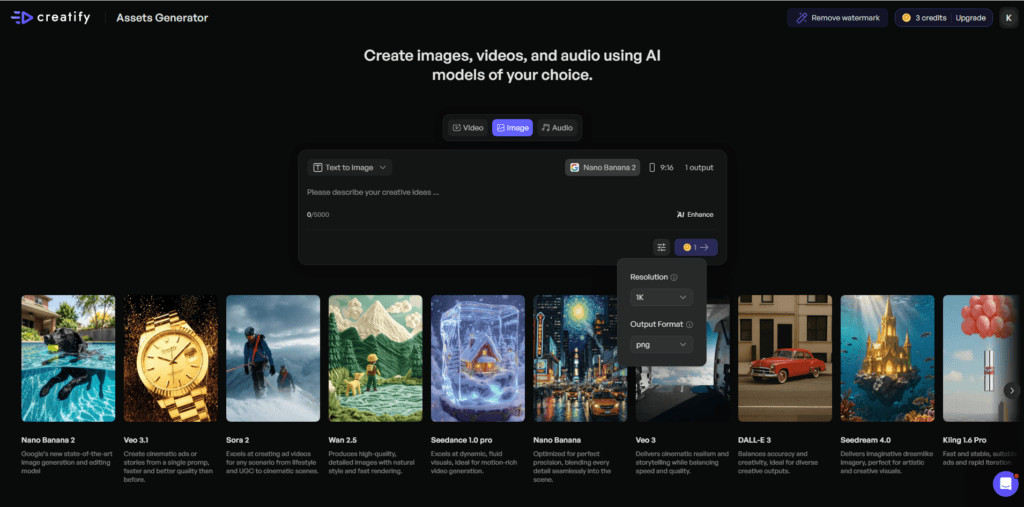
Image generation feels more detailed and customizable.
You can create from scratch or use a reference image, which is useful when you already have a direction in mind.
Creatify supports multiple models like NanoBanan, GPT, Flux, Grok Image, Seedream, VCraft V3, and REVE – so you’re not stuck with one “style.”
What stands out:
- Wide range of aspect ratios (21:9, 16:9, 3:2, 4:3, 5:4, 1:1, 4:5, 3:4, 2:3, and 9:16)
- Output up to 4 images at once
- Quality control (1K to 4K or low → high)
- Multiple formats (PNG, JPEG, WebP)
👉 This is useful when you want variations fast—ads, thumbnails, creatives—without going back and forth.
I tried something simple—generated a powerful female warrior with long hair, using Nano Banana and a 16:9 aspect ratio.
A photorealistic full-body portrait of a powerful female warrior with a human head and face, smooth light skin, and extremely long flowing hair that reaches the ground. She wears elegant, minimal fantasy armor — refined leather and light bronze accents that allow freedom of movement. In both hands, she firmly holds a massive two-handed battleaxe. She stands in a strong, heroic pose. Cinematic lighting, highly detailed realistic textures, dramatic yet natural shadows, 8k resolution, epic fantasy realism, professional photography style, neutral atmospheric background.
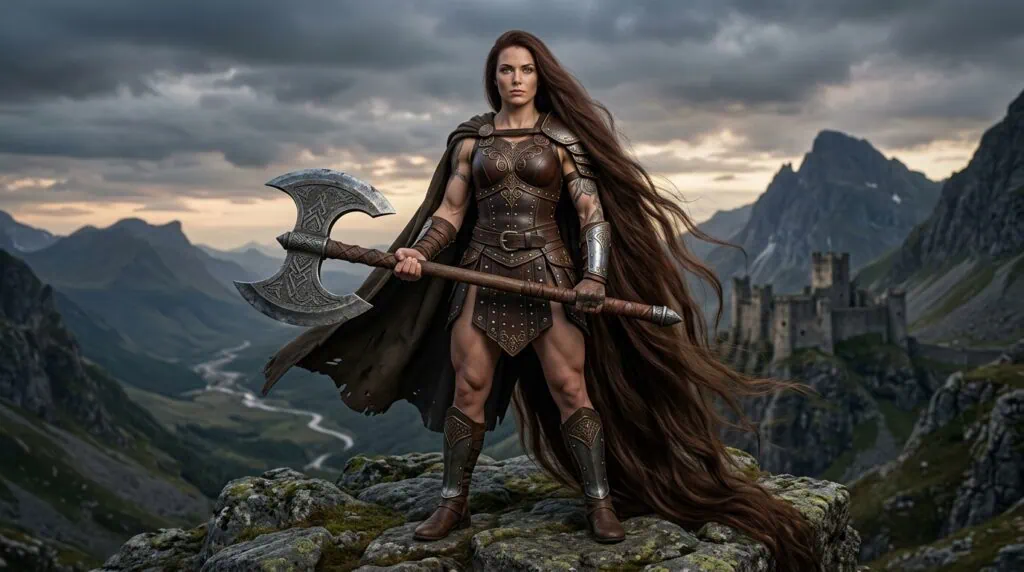
And honestly, the result nailed it.
What stood out is how closely the output matched the prompt. No weird distortions, no off-theme elements. It actually followed the intent—strong presence, detailed look, and the kind of visual you’d expect without needing multiple retries.
AUDIO:
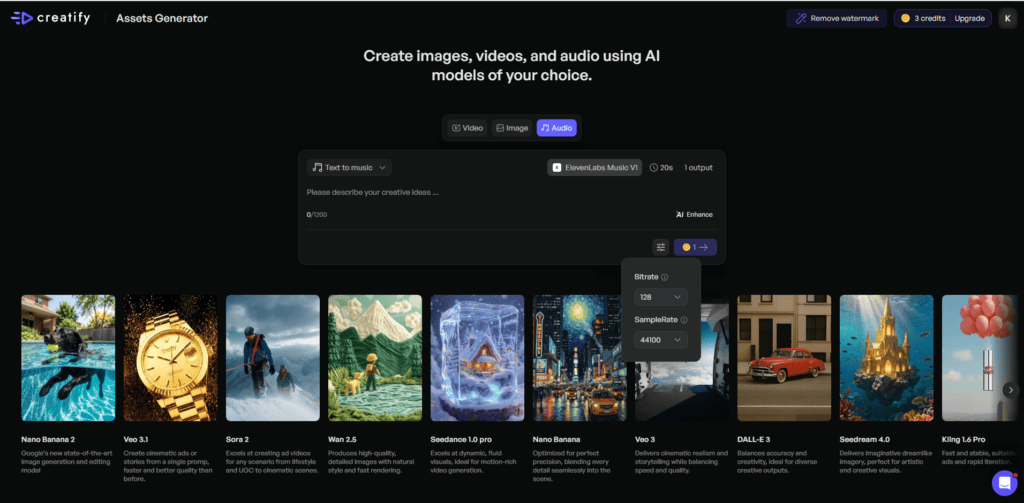
Audio is more straightforward compared to video and image.
You can generate music or voice from text using models like ElevenLabs and Minimax.
Options include:
- Duration from 12 seconds to 5 minutes
- Multiple outputs (1–3 variations)
Credit usage depends on length and outputs—nothing surprising here.
👉 It’s not overly complex, but it fills the gap when you need quick background music or voice without leaving the platform.
💡 Pro Tip: The Asset Generator is powerful – but it’s not “plug-and-play easy.”
You get control, variety, and speed—but you also need to make choices.
If you like experimenting and testing creatives fast, this is where Creatify really shines.
Image Ads
Drop in your product link and let Creatify handle the heavy lifting.
If video feels like too much effort, this is the shortcut—clean, quick, and surprisingly effective.
Start with a Product Link
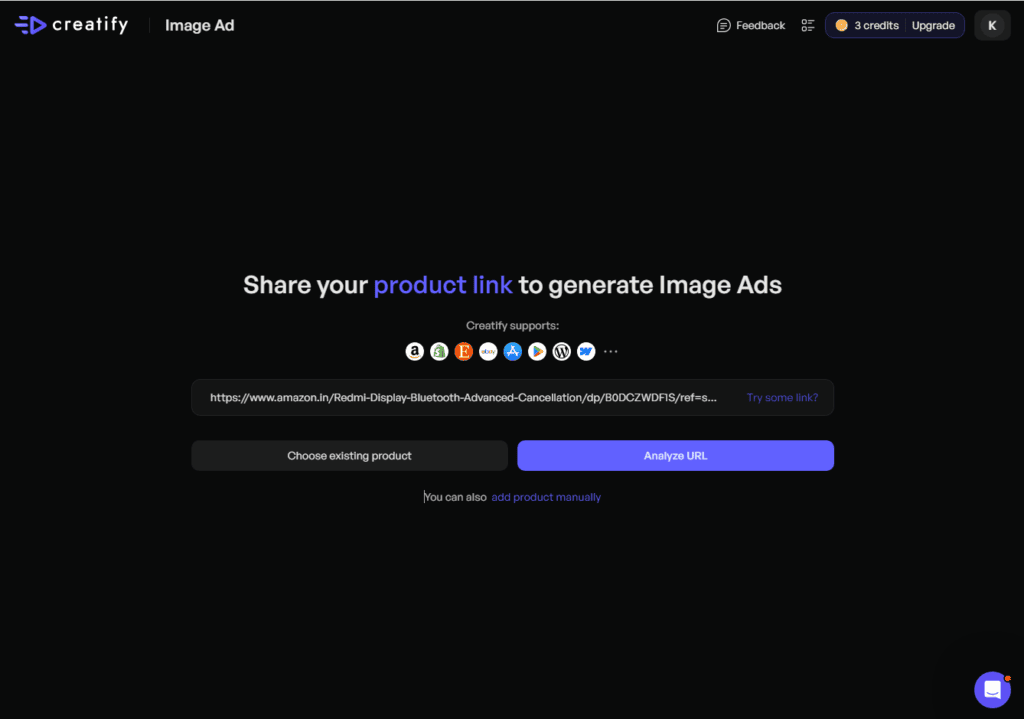
Just drop in your product URL—Amazon, Shopify, app store, anything public—and hit Analyze URL.
If you’ve already used that product inside Creatify, you can reuse it instantly. Or add details manually if needed. No friction here.
AI Pulls Everything Together
Once submitted, Creatify extracts product info, images, and assets automatically.
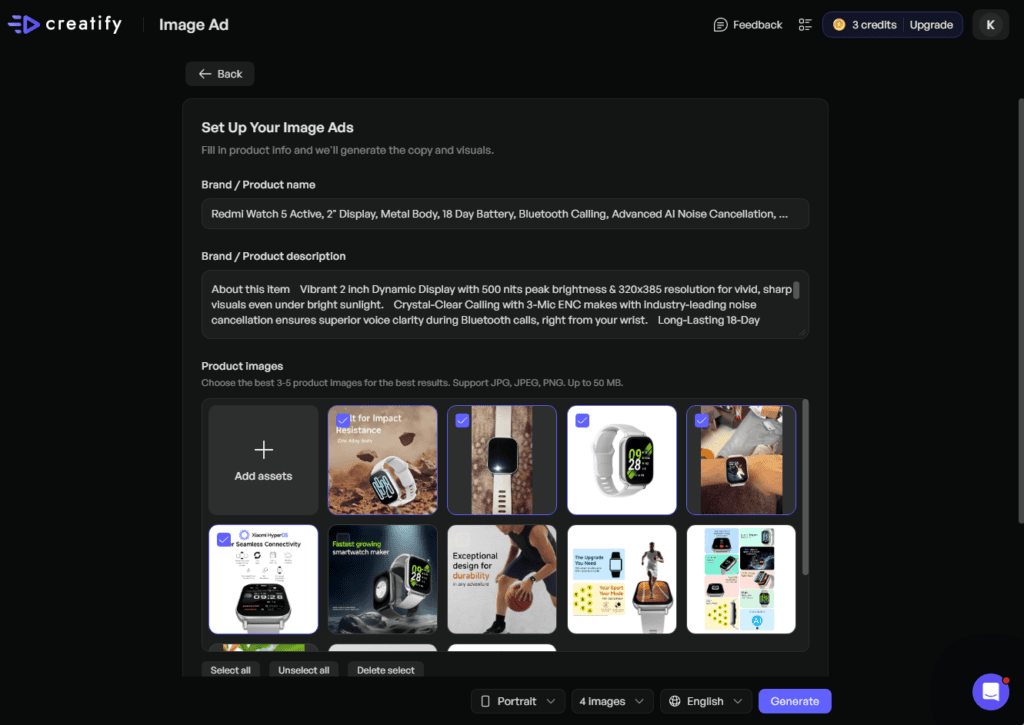
You get a quick preview—review it, fix anything if needed, and move on. This step saves a lot of manual setup.
Set Your Ad Style (Simple Choices)
Now choose how your image ads should look:
- Format: landscape, portrait, or square
- Output: 4, 10, or even 20 variations
Language is set to English by default, but you can switch if you’re targeting a global audience. Hindi is available too—which is a nice touch.
Click “Generate”, and your ads are ready.
Download them, post on social, run paid ads, or upload directly to your store.
💡 Final Take:
This is speed over complexity. You’re not designing—you’re selecting and generating. Perfect when you need multiple creatives fast without overthinking it.
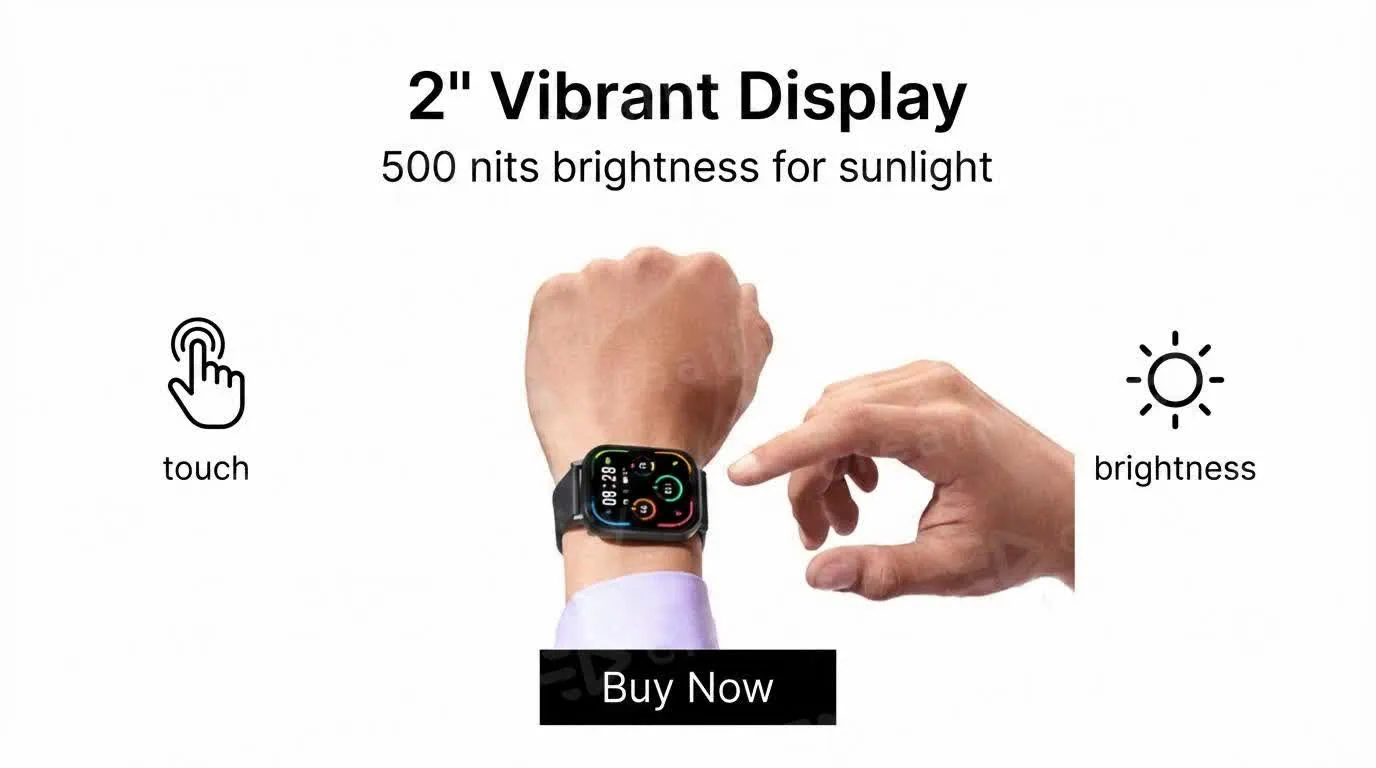
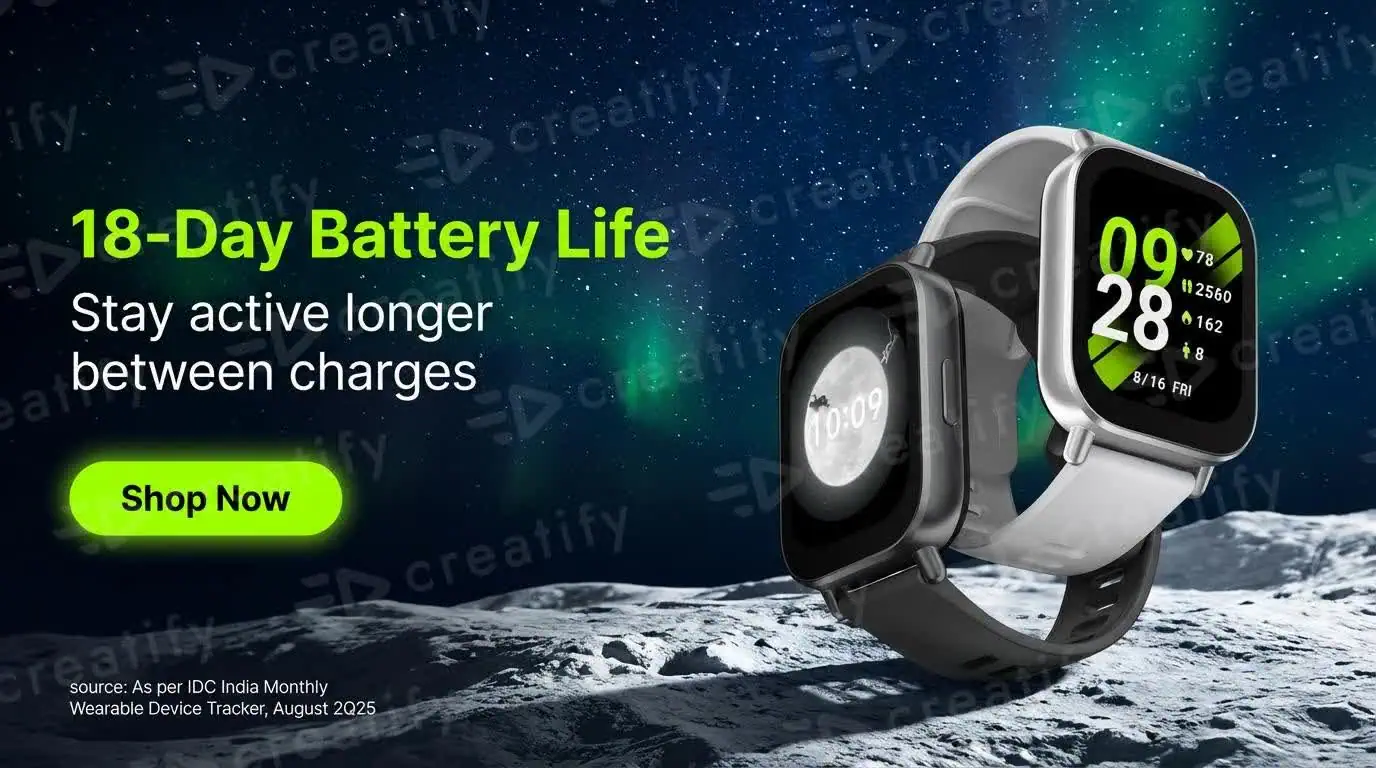
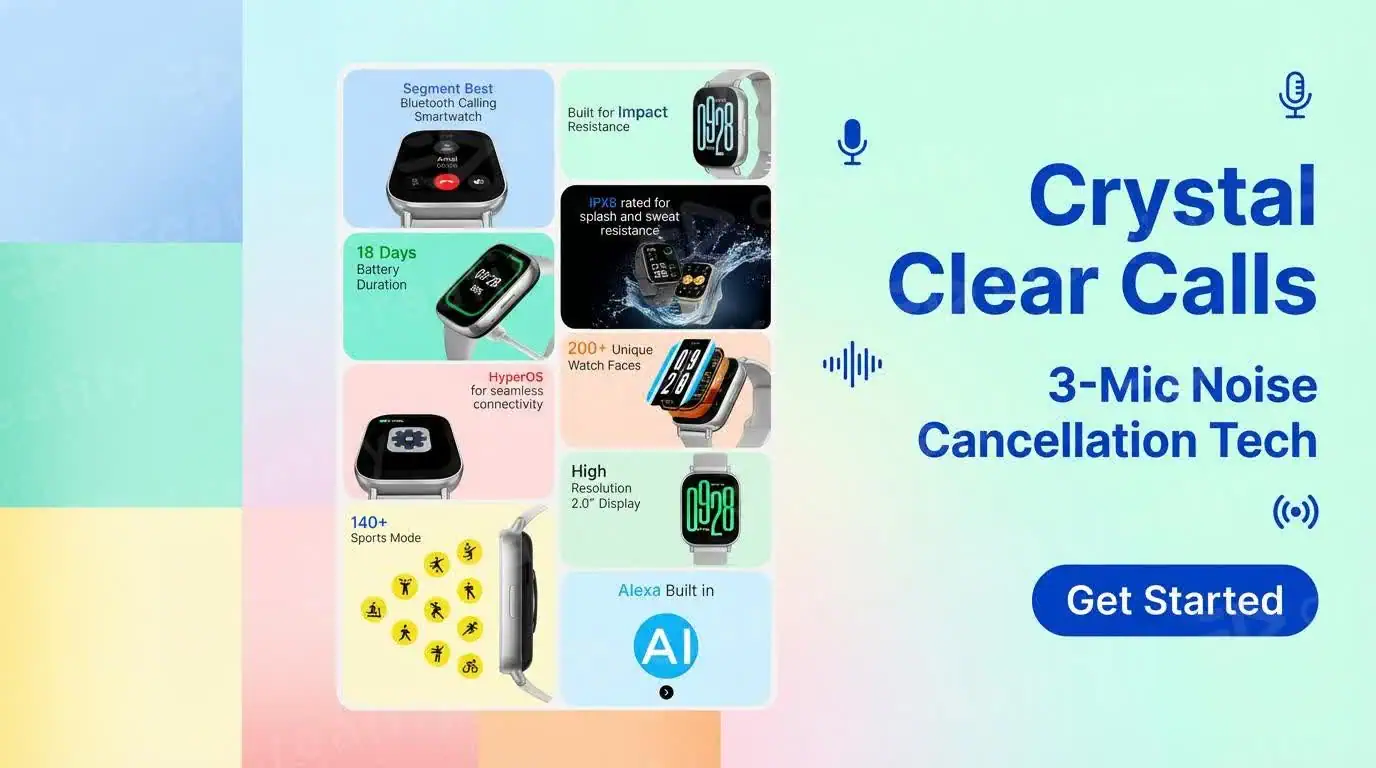
Below is the result—4 image ads generated within minutes.
Clean, usable, and good enough to test immediately across your channels.

Ad Clone
This is easily one of the most practical features inside Creatify.
Instead of starting from scratch, you’re building on ads that are already working.
Upload your product link or add details manually.
If you’ve used the product before, it’s already sitting in the leftside sidebar—just pick it and move on. No repetition.
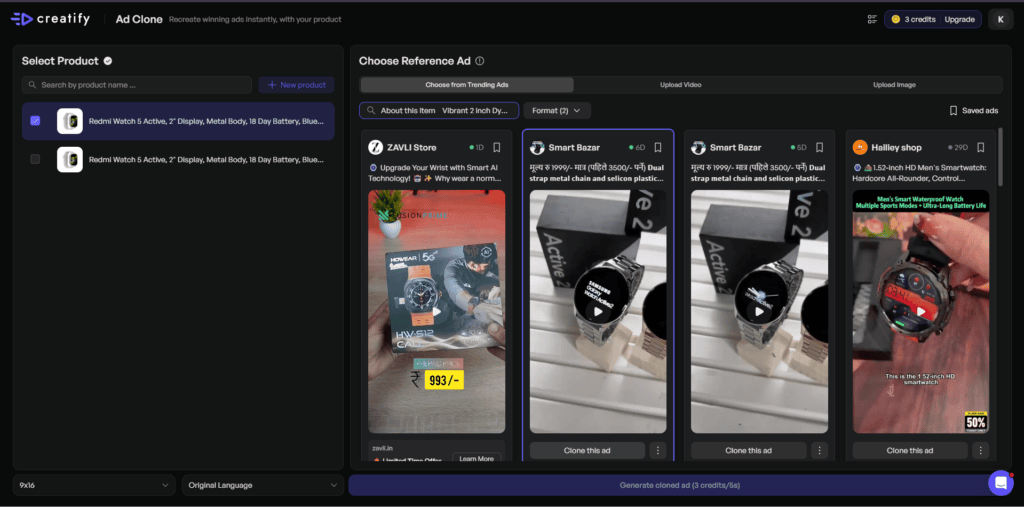
Here’s the interesting part.
Creatify gives you a built-in library of viral, high-performing ads. You don’t need to scroll social media, download clips, and upload them here.
Even better—it filters ads based on your product.
When I selected a smartwatch, it automatically showed watch-related ads only. That saves time and removes guesswork.
You can still upload your own reference ad if you want full control.
Once you find a reference ad, hit Clone This Ad.
Choose your format: 9:16 for short-form or 16:9 for landscape
Creatify then adapts the script and visuals for your product—and generates a ready-to-use version.
It costs 3 credits per 5 seconds.
So a 15-second ad = 9 credits.
Not expensive—but something to keep in mind if you’re testing a lot.
Final Take
This removes the hardest part of ads—figuring out what works.
You’re not guessing. You’re remixing proven ideas with your product.
That’s a big shortcut if you’re running ads seriously.
Create Your Own Avatar
This is where Creatify stops feeling like a tool—and starts feeling like your system.
Instead of picking a generic avatar, you can create one that actually represents your brand.
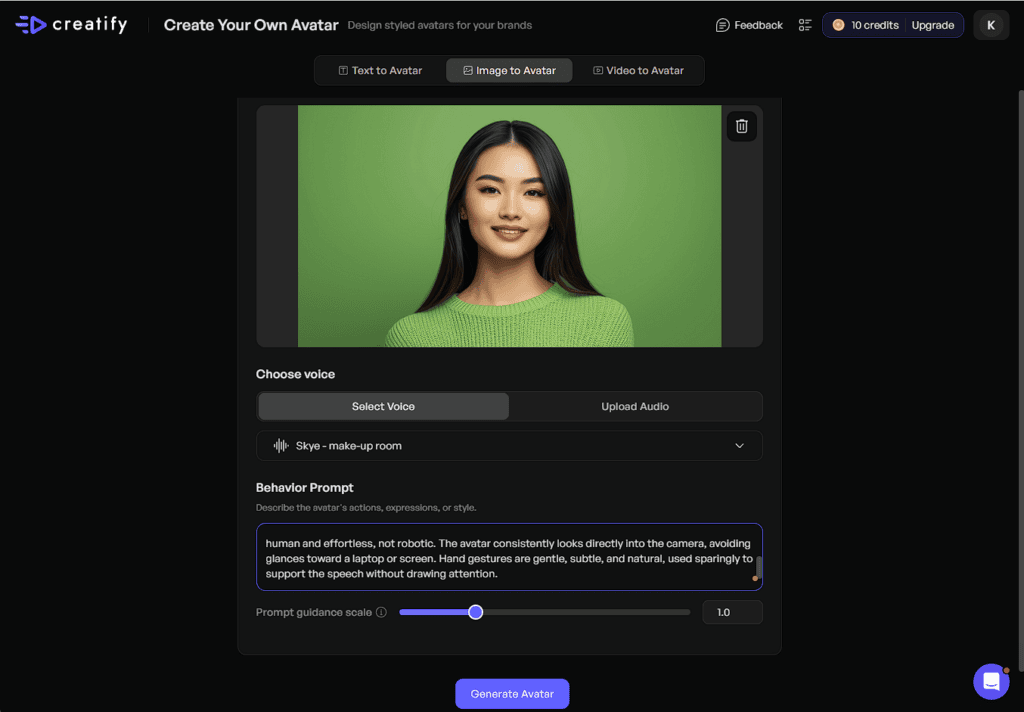
Build an Avatar Your Way
You can start in three ways:
- Just prompt it
- Upload an image
- Or even use a reference video
Creatify analyzes your input and generates a custom avatar that can speak your script naturally, with expressions that match your intent.
Creatify uses that input to shape the avatar’s expressions, delivery style, and overall vibe.
Most avatar tools stop at “talking head.”
Here, you’re getting something closer to a directable character—one that aligns with your brand voice without needing a real person on camera.
It’s faster, scalable, and way more flexible once you dial it in.
Once you start combining this with video ads and cloning workflows, that’s where things really start to compound.
Product Video
If you hate the idea of setting up shoots, editing footage, or hiring creators—this is where Creatify really clicks.
You upload one product image… and it turns into a video that actually looks produced.
All you do is upload your product photo.
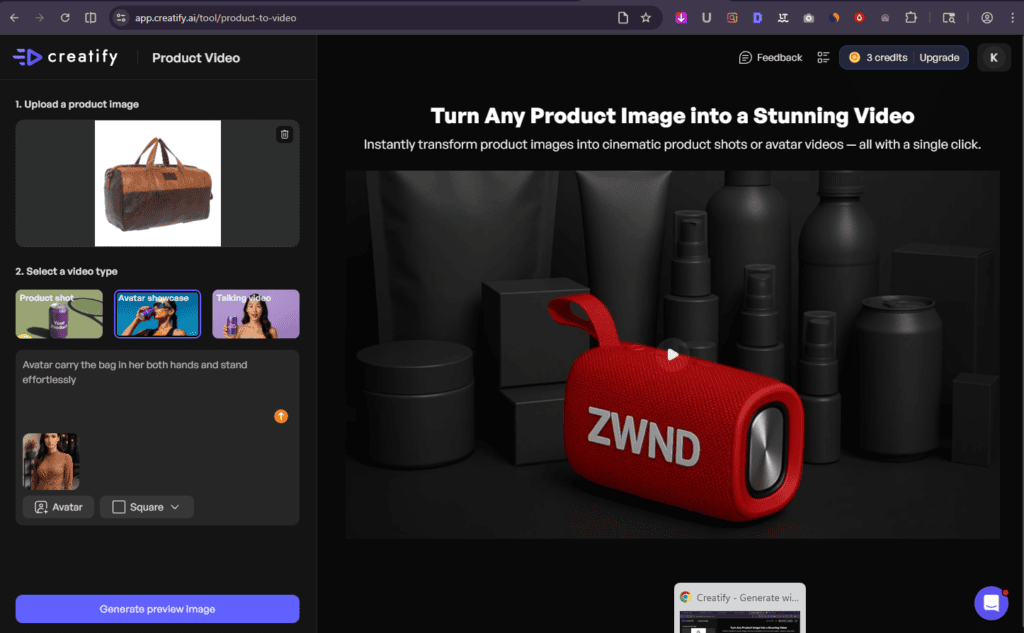
Then pick one of three video types, depending on what you’re trying to achieve:
- Product-focused visuals
- Avatar-led showcase
- Talking-style video (UGC feel)
You can also add a prompt and choose an avatar to guide how the Preview image should look and feel.
Step One: Preview → Then It Comes Alive
Creatify first generates a preview image based on your inputs.
Once that looks right, it transforms it into a full video—with motion, transitions, and cinematic effects. No editing required.
1. Product Shot (Clean, Cinematic, No Setup)
Your product gets placed into a dynamic environment—studio-style or anything you describe in your prompt.
Smooth camera movement, clean transitions, and a polished look.
No camera. No lighting setup. Still looks like a proper shoot.
👉 Best for: clean product ads and visual-first creatives.
2. Avatar Showcase (More Engaging, More Human)
Here, an avatar interacts with your product.
It doesn’t just “stand there”—it presents, moves, and adapts based on your prompt. Add in camera angles and motion, and it starts to feel like a real promo video.
👉 Best for: making your product feel more relatable and less static.
3. Talking Video (UGC-Style That Converts)
This one feels closest to real content.
The avatar holds or interacts with your product and talks through your script—like a user sharing their experience.
It doesn’t feel like a stiff ad. It feels like content you’d actually see on your feed.
👉 Best for: UGC-style ads and conversion-focused creatives.
Final Take
This feature removes the biggest bottleneck—production.
You’re not filming or editing. You’re just guiding the output.
And once you realize how fast you can go from image → video, it changes how often you’re willing to test new creatives… which is exactly where most people get stuck.
HTML Interactive Ad
Most ads get ignored in a second. These don’t.
Instead of showing people another image or autoplay video, HTML interactive ads give them something to do—tap, swipe, click, explore. It feels less like an ad and more like a lightweight product demo.
That one shift makes a big difference.
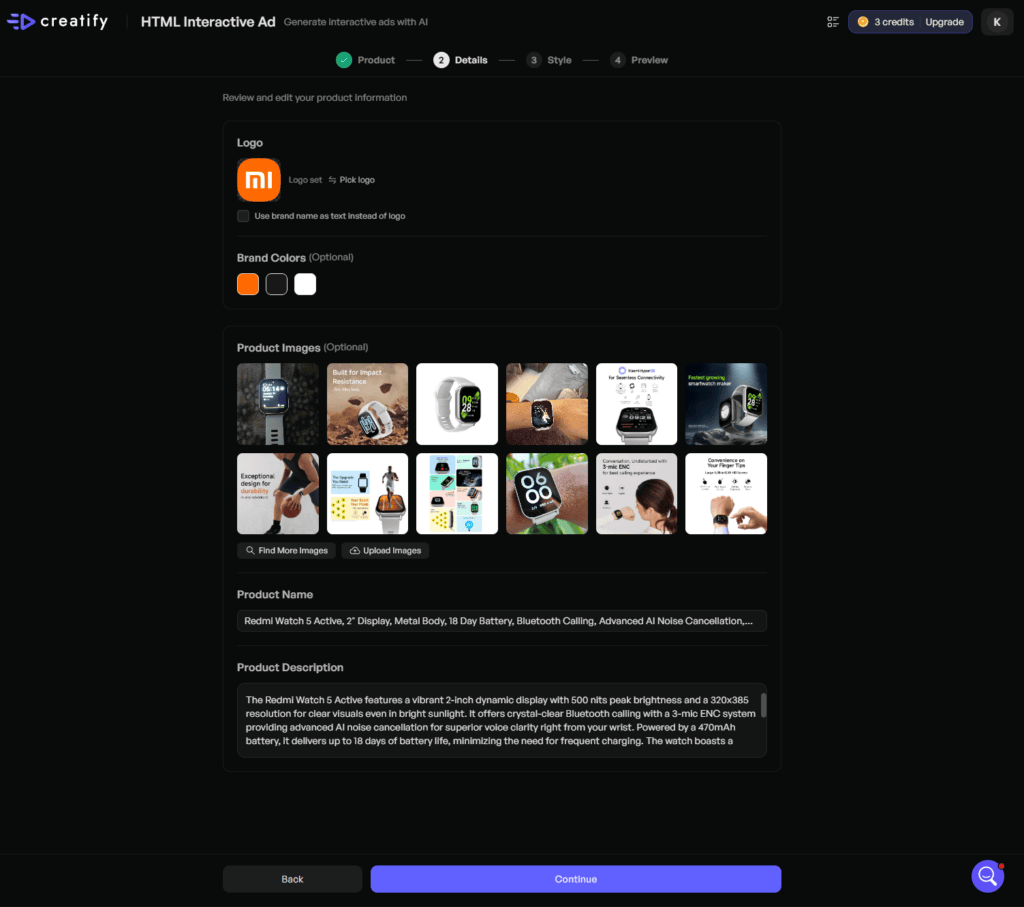
Turn a Product URL into an Interactive Ad
You start the same way—drop in your product URL or use existing assets.
Creatify pulls in the product details automatically:
- Brand logo
- Product images
- Brand colors
- Product name
- Description
It handles the setup for you, which saves a surprising amount of time.
Pick a Style, Then Shape the Offer
Once the assets are in, you move into the style step.
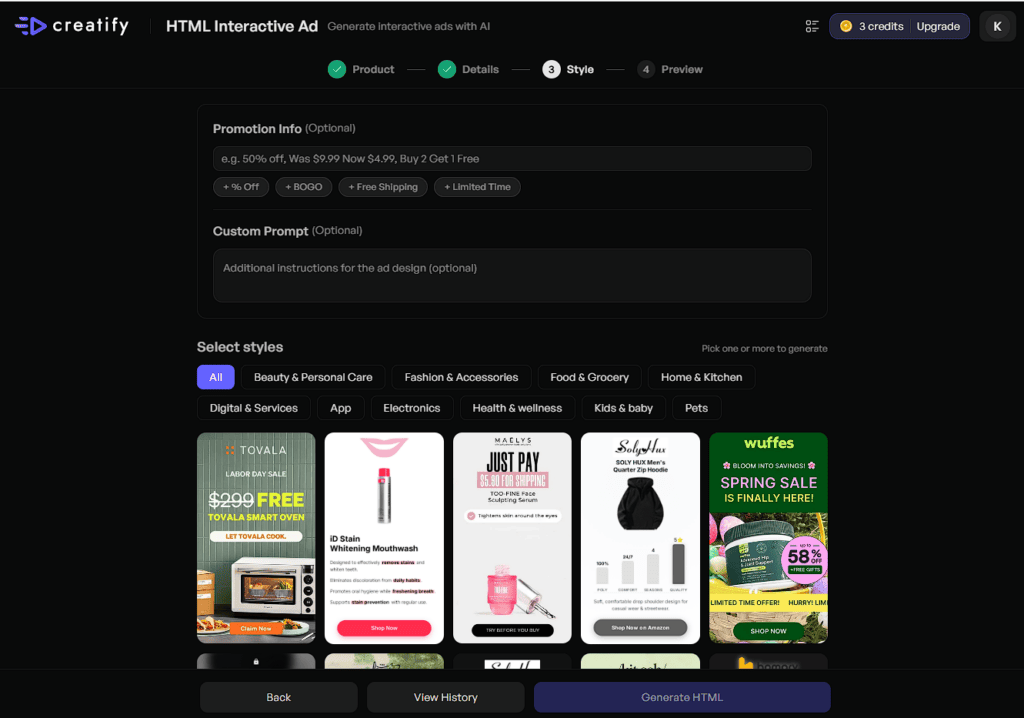
Creatify gives you a set of pre-built interactive layouts, and honestly, most of them are solid. They already feel made for performance.
From there, you can layer in your offer:
- Discount messaging
- Promo tags
- “Buy 1 Get 2” type hooks
- Custom prompts for specific angles
This is where you shape the ad around the conversion goal—not just the design.
Generate Fast, Test More
Once everything looks right, generate the ad and it’s ready to go.
The biggest advantage here is speed.
You can create multiple interactive variations quickly, test different hooks, and push more creative angles into paid campaigns without slowing production down.
That matters more than people think.
FINAL TAKE
This is one of the smarter formats inside Creatify.
It turns passive ad views into interaction—and that usually means more attention, better engagement, and more room to sell before the scroll.
And once you start thinking beyond static ads, the next feature gets even more useful.
AI Shorts
AI Shorts helps you turn a simple script into a ready-to-post short video in minutes.
You type the script, pick a style, choose the format, and Creatify builds the video for you. No filming. No editing timeline. No design team. It is one of the fastest ways to create short-form content for TikTok, YouTube Shorts, and Instagram Reels.
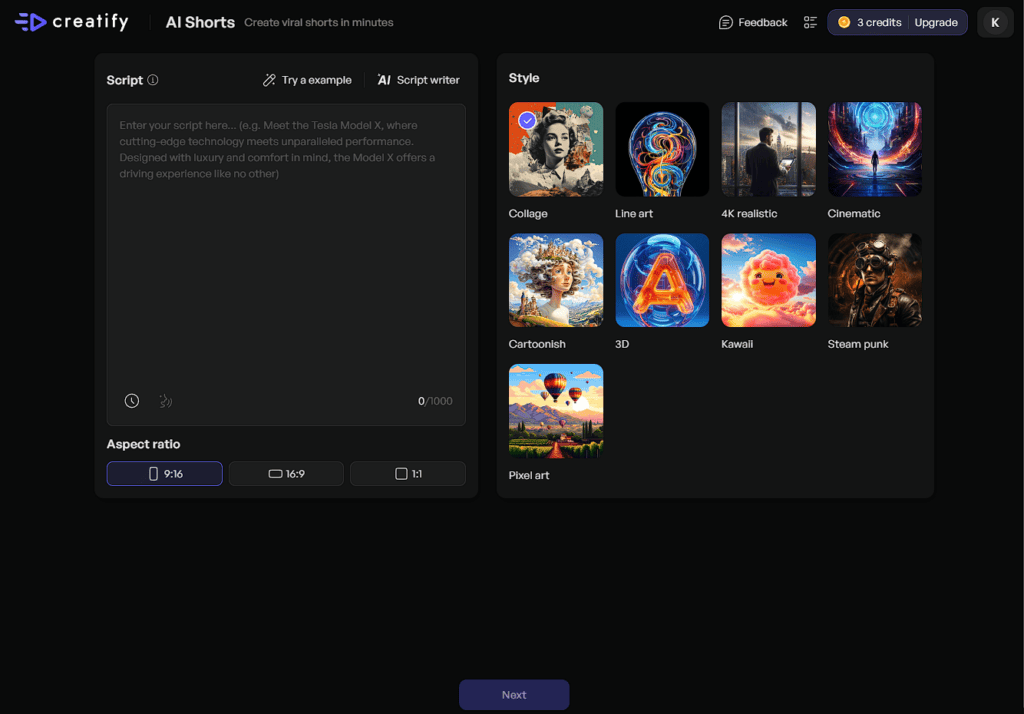
From the interface, you can:
- Paste or write your script
- Use the AI Script Writer
- Choose aspect ratio (9:16, 16:9, or 1:1)
- Pick a visual style like Collage, Line Art, 4K Realistic, Cinematic, Cartoonish, 3D, Kawaii, Steampunk, or Pixel Art
- Render a publish-ready short video fast
What makes AI Shorts useful is speed and flexibility. You can create short-form content without recording clips or editing scenes yourself. That saves time and removes most of the production work.
If you want to post consistently, test more content angles, and spend less time editing, AI Shorts is one of the easiest ways to scale short-form video creation.
Video Translation
Creatify’s Video Translation helps you turn one video into multiple language versions without re-recording it.
Upload a video or paste a YouTube, TikTok, or Instagram link. Creatify translates the speech, matches the voice, and syncs lip movement so the video still looks natural. You can also use audio-only mode if you only need translated voice without lip sync.
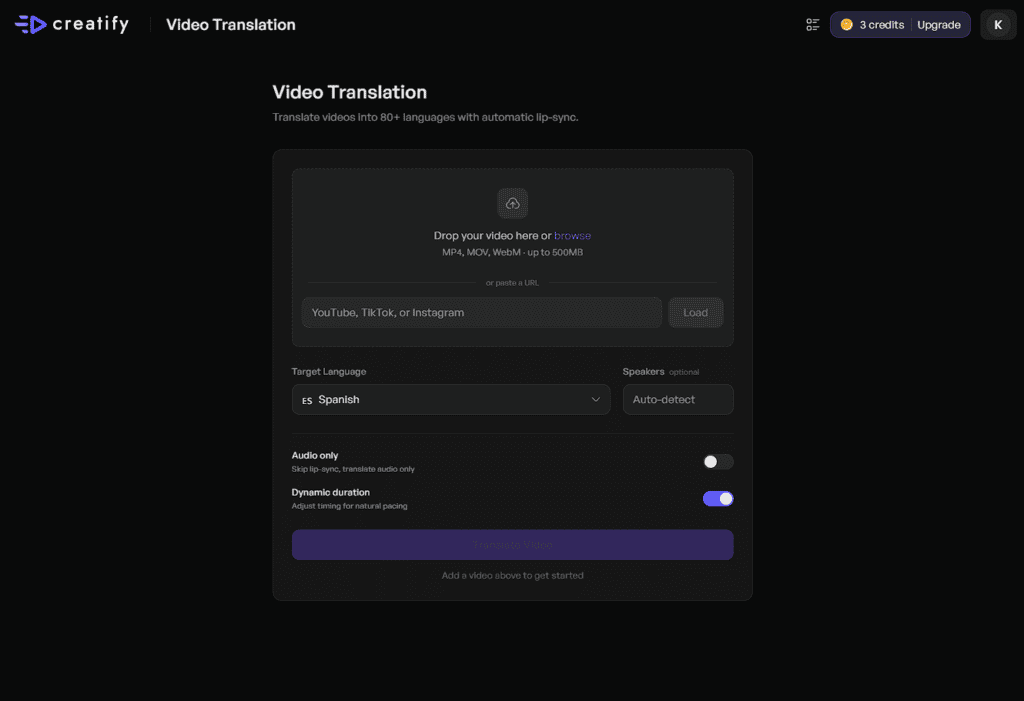
This saves a lot of time. Instead of transcribing, translating, recording, and editing each version by hand, Creatify handles the full workflow in one place. What normally takes hours can be done much faster.
The biggest benefit is reach. You can take one video and make it work for viewers in different languages while keeping the same message, tone, and flow. That makes it useful for ads, product demos, training videos, and creator content.
The main value is simple: one video in, multiple languages out.
If you want to scale content across regions without re-shooting or re-recording every version, this is one of the fastest ways to do it.
Ad Flow
Ad Flow helps you build video ads on one visual canvas instead of jumping between tools.
It uses a node-based layout where each part of your ad is connected in one workflow—product image, script, voiceover, motion, and final edit. You can see the full ad from start to finish in one place and control each step without starting over.
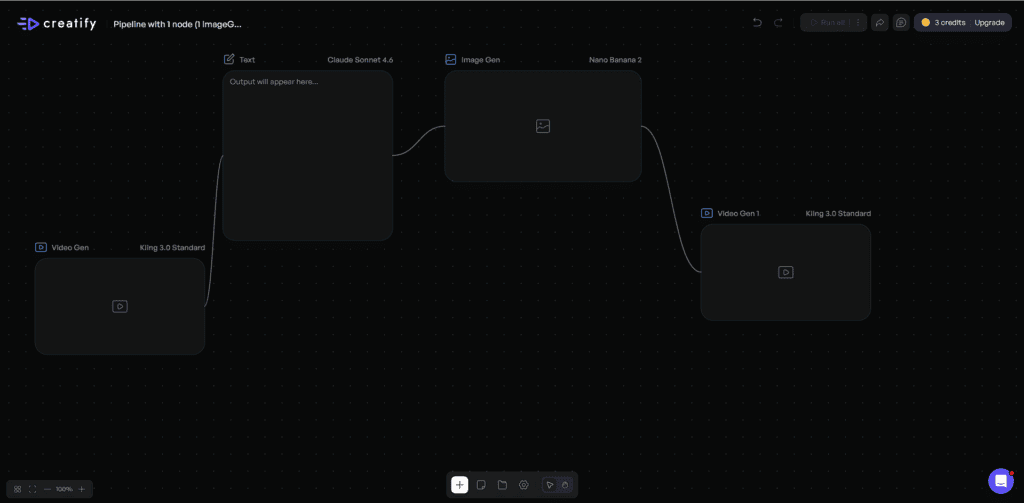
That is the biggest advantage. Most ad tools are fast, but not flexible. Ad Flow gives you both. Want to test a new hook? Change one node. Need a different CTA or voice? Swap that one step and re-render. Everything else stays in place.
This makes ad testing much faster. You can build one workflow, branch it into multiple versions, and test different creative angles without rebuilding the full ad each time.
The main value is simple: less tool switching, faster testing, and more control.
If you want to build and test video ads faster without breaking your workflow, Ad Flow makes the process much easier.
Video Editor
Creatify’s Video Editor gives you one clean workspace to build and polish video ads fast. You can write scene-by-scene scripts, swap avatars, add captions, drop in music, place CTAs, and adjust visuals from one timeline. No complex editing tools. No steep learning curve.
That is what makes it useful. Most editors are powerful but slow. Creatify keeps the controls simple, so you can edit faster without losing flexibility. Need to change one scene, update text, or test a new CTA? You can do it in a few clicks instead of rebuilding the whole video.
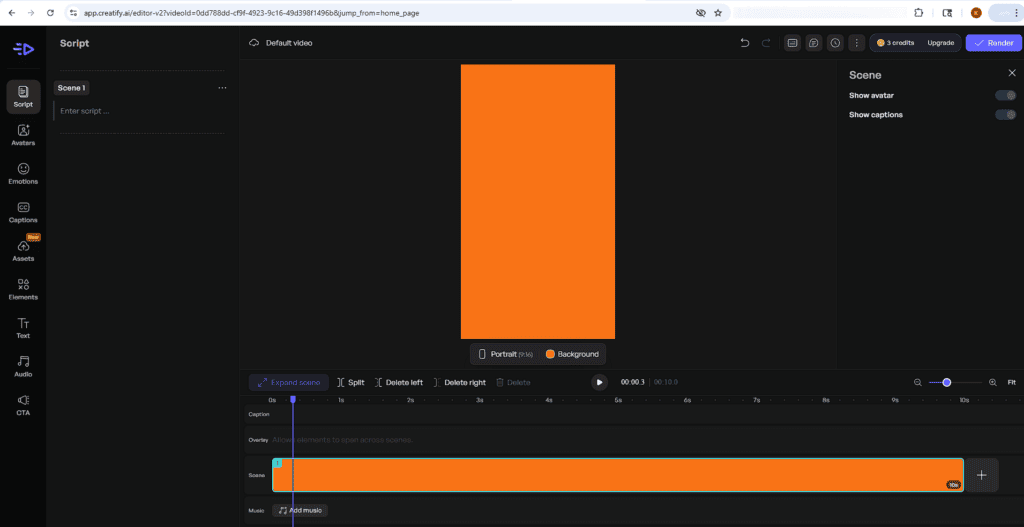
It is built for speed, but still gives you control where it matters—script, timing, captions, audio, and final layout. That makes it easier to turn rough ideas into polished, ready-to-publish video ads without spending hours in editing software.
Launch Ads
Launch Ads helps you move from finished creative to live campaign without leaving Creatify. You can send ads directly to Meta, TikTok, or AppLovin from one place, which cuts out manual exports and extra setup.
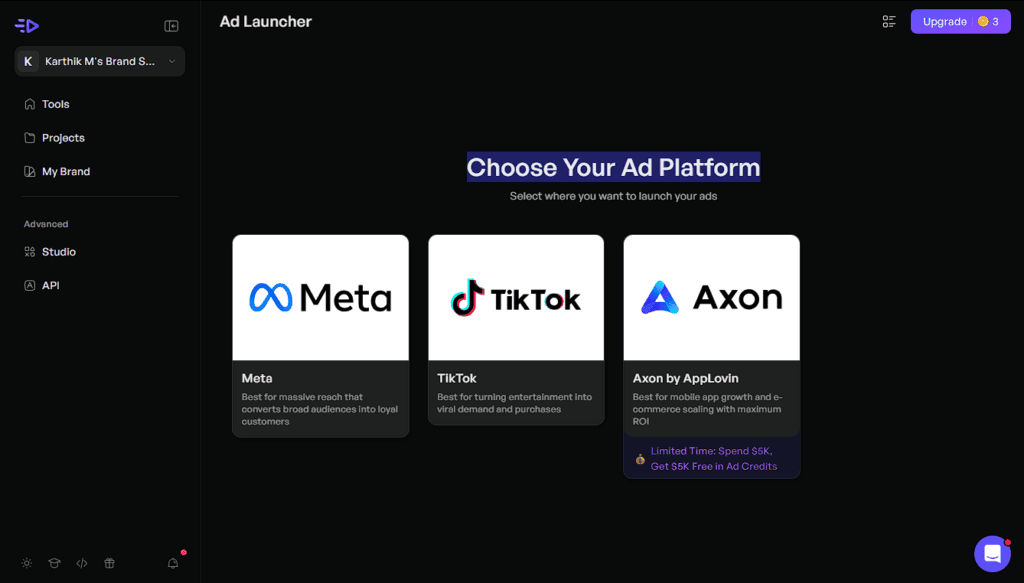
That is the real benefit: faster launch, fewer steps, less friction. Build the ad, pick the platform, and push it live. It is built for teams that want to test faster, launch more often, and keep ad production and delivery in one workflow.
Social & UGC Ads
Social & UGC Ads help you create ads that feel native to the feed, not forced like traditional ads. You add your product, image, and message. Creatify turns that into a social-first video that looks like real creator content—fast.
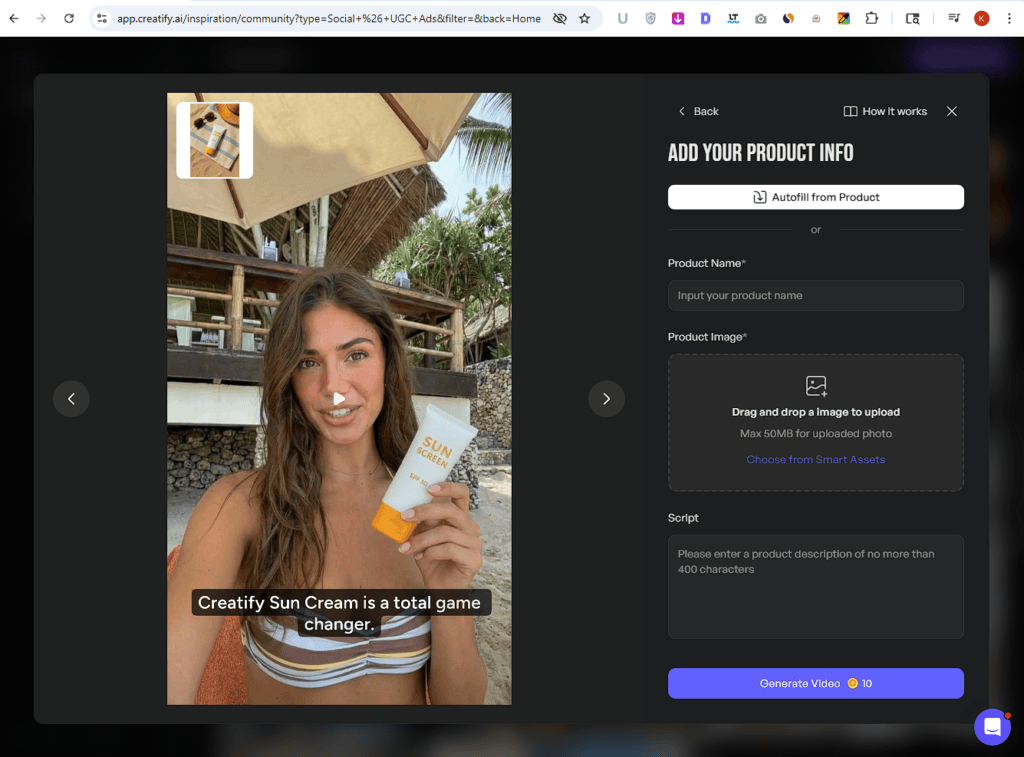
That matters because UGC-style ads usually feel more natural, hold attention longer, and often outperform polished brand creatives on social platforms. Creatify makes that format easier to scale with AI avatars, product demos, creator-style scripts, and fast variations built for testing.
The biggest value is simple: you get faster content, lower production cost, and more ad variations without hiring creators for every video. It is one of the easiest ways to make social ads that look native, feel real, and convert better.
Creatify Pros and Cons
What I Liked (Pros)
What Could be improved (Cons)
Creatify Pricing & Plans (2026)
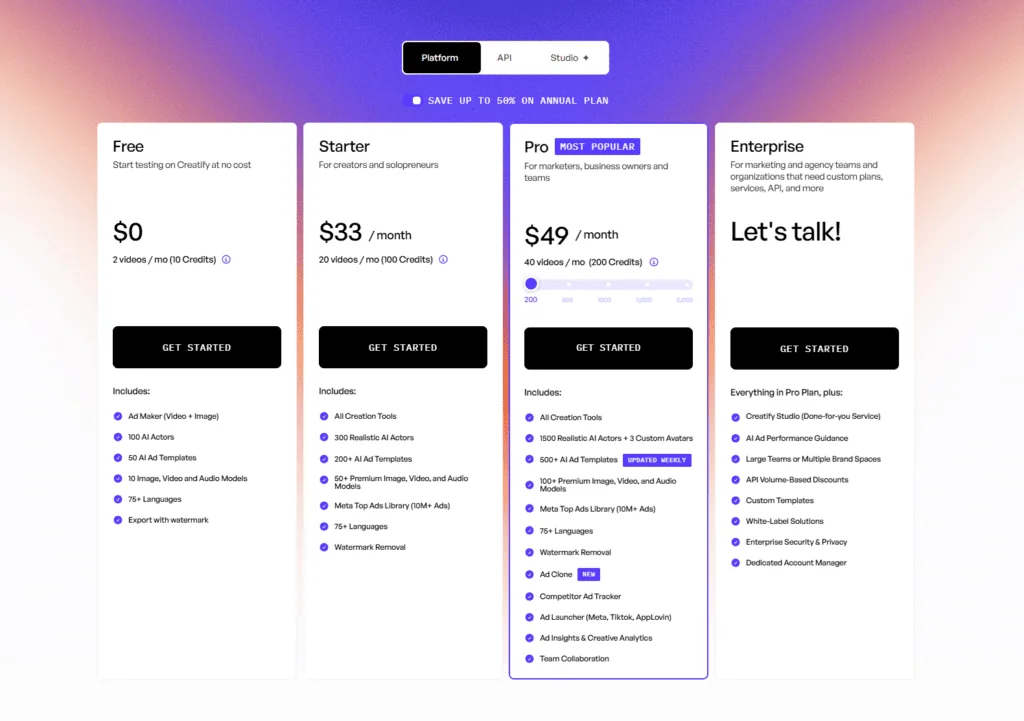
Creatify uses a simple tiered pricing model. You can start free, move into a low-cost creator plan, then upgrade as you need more credits, better assets, and stronger ad tools. The structure is easy to follow: Free for testing, Starter for solo use, Pro for serious ad work, and Enterprise for teams that need scale.
free
Price: $0/month
Best for: Testing the platform before paying
Includes:
- 2 videos per month (10 credits)
- Ad Maker (Video + Image)
- 100 AI Actors
- 50 AI Ad Templates
- 10 Image, Video, and Audio Models
- 75+ languages
Limitations:
- Exports include watermark
- Very limited monthly usage
- Best for testing, not real campaign volume
starter
Price: $33/month
Best for: Creators and solopreneurs
Includes:
- 20 videos per month (100 credits)
- All Creation Tools
- 300 Realistic AI Actors
- 200+ AI Ad Templates
- 50+ Premium Image, Video, and Audio Models
- Meta Top Ads Library (10M+ ads)
- 75+ languages
- Watermark removal
Limitations:
- No custom avatars
- Lower monthly output than Pro
- Better for steady content, not heavy ad testing
pro
Price: $49/month
Best for: Marketers, business owners, and teams
Includes:
- 40 videos per month (200 credits)
- All Creation Tools
- 1500 Realistic AI Actors + 3 Custom Avatars
- 500+ AI Ad Templates (updated weekly)
- 100+ Premium Image, Video, and Audio Models
- Meta Top Ads Library (10M+ ads)
- 75+ languages
- Watermark removal
- Ad Clone
- Competitor Ad Tracker
- Ad Launcher (Meta, TikTok, AppLovin)
- Ad Insights & Creative Analytics
- Team Collaboration
Limitations:
- Still credit-based, so high-volume teams may outgrow it
- Best for active ad production, not full enterprise workflows
Enterprise
Price: Custom pricing (“Let’s talk”)
Best for: Marketing teams, agencies, and large organizations
Includes:
- Everything in Pro
- Creatify Studio (done-for-you service)
- AI Ad Performance Guidance
- Large teams or multiple brand spaces
- API volume-based discounts
- Custom templates
- White-label solutions
- Enterprise security & privacy
- Dedicated account manager
Limitations:
- Custom sales process
- Overkill for solo creators or small teams
Which Plan Should You Pick?
Use Free if you just want to test the product.
Starter is the right pick for solo creators who need steady content without spending much.
Pro is the best value for most users. It gives you the biggest jump in output, more creative control, and the ad tools that actually matter once you start running campaigns.
Enterprise only makes sense if you need team workflows, API access, or client-scale production. Most small teams can skip it.
Final Thoughts: Is Creatify Worth It?
Yes—if you create product ads often, Creatify is worth it. It saves serious time, cuts production costs, and makes ad testing much easier than doing everything manually.
This is best for ecommerce brands, marketers, agencies, and creators who need more ad variations without hiring editors, actors, or video teams. If your goal is to launch faster, test more angles, and scale content without slowing down, this does the job well.
If you want pixel-perfect creative control, strict brand consistency, or cheap unlimited usage, skip it. The credit system adds up fast, and some outputs still need retries. Beginners can use it, but the interface throws too much at you upfront.
Its biggest strength is speed. You can go from product link to usable ad in minutes. The second is volume—you can test far more creatives than traditional workflows allow.
Biggest downside? Credit burn and inconsistent previews.
My take: buy it if speed and testing matter. Skip it if control matters more.
Real User Reviews & Feedback
Trustpilot
Product Hunt
G2
Positive Stories
The same thing keeps coming up in positive reviews: Creatify saves people a lot of time. Users love how quickly they can turn a product link into polished ads without filming, editing, or hiring extra help. That speed matters because it removes the usual bottleneck and makes testing new ad ideas feel easy instead of exhausting.
negative Stories
The biggest frustration is pricing friction once you start using it seriously. Users repeatedly mention credits running out too fast, expensive upgrades, and billing complaints that make heavy testing feel risky. That is the one issue Creatify needs to fix fast, because speed loses value when users start second-guessing every render.
Creatify AI Alternatives
Creatify is a strong pick for fast ad production. It saves time and removes creative bottlenecks fast.
If it’s not the right fit, these are worth comparing instead:
→ Arcads Review
→ HeyGen Review
→ Synthesia Review
Explore more reviews to compare the best AI ad generators and find the right fit for your workflow.
Most tools offer free trials or flexible plans, so you can test them risk-free before committing.
HeyGen
While Creatify speeds up your ad creation, heavy visual testing can drain your monthly credits in a flash. HeyGen’s paid Creator tier offers a massive relief by unlocking unlimited video minutes alongside advanced features like storytelling B-roll generation and hyper-realistic talking avatars.
To evaluate the long-term cost and testing value, browse my comprehensive Comparing Creatify and HeyGen guide.
Synthesia
If you need structured brand explainers rather than quick, UGC-style social media advertisements, Synthesia offers unmatched visual polish. Its slide-based editor and PowerPoint import tool seamlessly turn static outlines into premium avatar presentations with realistic facial gestures and timing.
Weigh the real-world testing trade-offs and layout features in my Creatify and Synthesia compared analysis.
FAQs – Discover Answers Readers usually Search
Creatify AI does one thing really well—it removes the biggest bottleneck in ad creation: speed. It helps you turn product links into usable video ads, image creatives, avatars, and testing assets much faster than traditional workflows. That makes it a strong fit for marketers, ecommerce brands, and creators who care more about speed and volume than perfect control.
It is not flawless, and the credit system needs watching, but the time saved is hard to ignore. If you create ads often, Creatify can genuinely make your workflow lighter. Have you tried Creatify yet, or are you still using your usual ad creation stack?
You might Also Like this:
Creatify AI
4.3/5⭐
- Turn URLs into ads
- Generate AI avatar videos
- Create faster ad variations
🔑Feature:
⚒️Ease of Use:
💰Pricing:
🤝Support: