I tried creating an AI avatar video in under 5 minutes… and the result surprised me. At first, Elai.io feels simple and powerful. But once you go deeper, things start to change. If you’re thinking about using AI to create videos faster, you need to know what you’re actually getting into.
In this review, I’ll walk you through my honest experience—features, pricing, real output quality, and the one issue that might completely change your decision.
Elai
Turn simple text into professional AI avatar videos in minutes—without filming, editing, or hiring—so you can create content faster and scale effortlessly.
Pros:
Cons:
What is Elai?
Turn simple text, presentations, or ideas into AI avatar videos in minutes—without filming, editing, or hiring talent.
Elai.io helps you create content faster and at scale, making it easier to explain, teach, or market without traditional production delays.
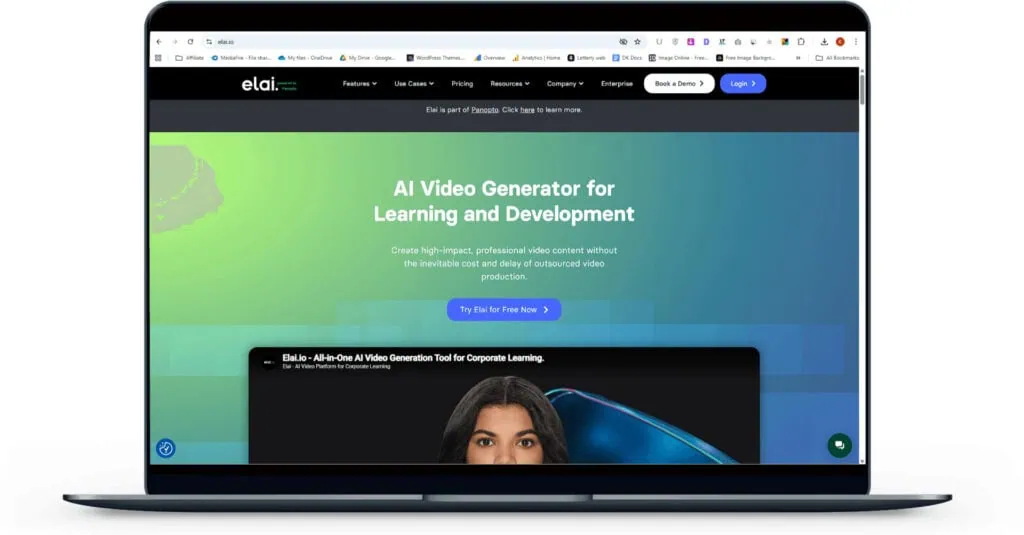
It removes the time, cost, and effort barriers of video creation, so you can focus on delivering your message consistently.
Who This Is Perfect For
Not Ideal For
Why I Love Elai?
My First Impressions (Unboxing Elai.io)
This is clean and easy — but slightly too safe.
You instantly know where to click. That’s a win. The center options (“template,” “AI storyboard,” “avatar”) guide you fast. No guesswork. The sidebar is simple and familiar. Even a beginner can start in seconds.
But it also feels a bit… basic.
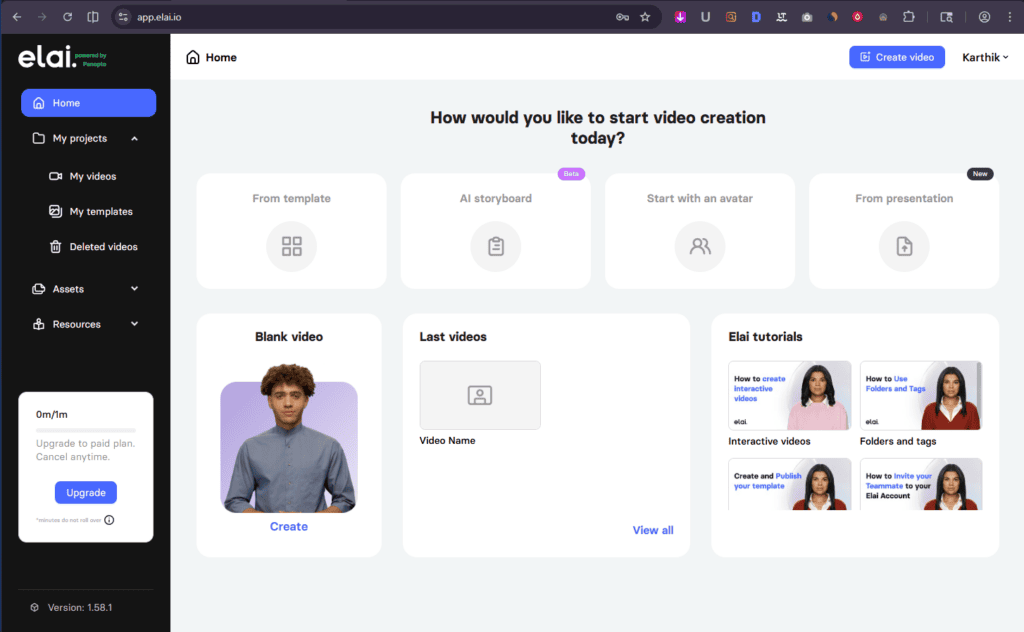
There’s no strong visual hierarchy. Everything looks similar, so nothing really stands out. The “Blank video” and tutorials sit quietly instead of pulling attention. That slows decision-making.
The usage limit (“0m/1m”) is clear — good for trust. But it also reminds you of restrictions right away. Not the best first emotion.
This is built for beginners. No doubt. It removes friction and gets you moving.
Advanced users? You might find it too guided and slightly limiting at first glance.
Final verdict:
Elai.io nails simplicity, but lacks punch. Great for starting fast — not for power users who want depth upfront.
Elai Features (Deep Dive)
From Template
If you want speed without sacrificing quality, this is where Elai shines.
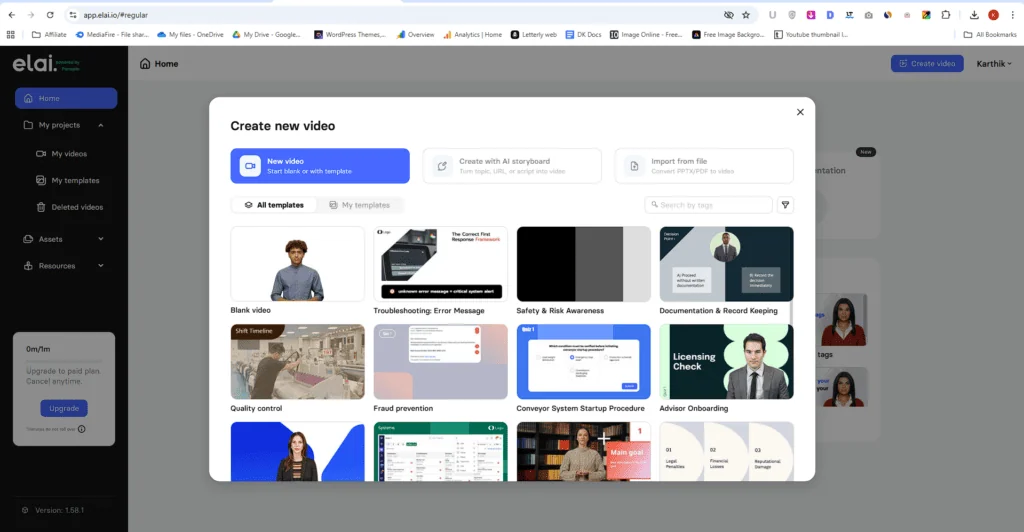
Templates are not just designs—they’re ready-made video frameworks.
You get backgrounds, text, media, and even an AI presenter already in place.
All you have to do?
Pick a template → tweak it → add your script → done.
🚀 Why Templates Feel So Easy
Each template comes with multiple slides. Think of them as scenes.
You’re not building from scratch.
You’re just editing each slide to match your message.
That alone saves a ton of time.
🎯 Want Full Control? Start Blank
If you prefer full customization, go with Start from Blank.
Here, you build everything yourself:
- Add your avatar
- Insert text, media, and elements
- Design each scene your way
This is perfect if you already have a clear vision.
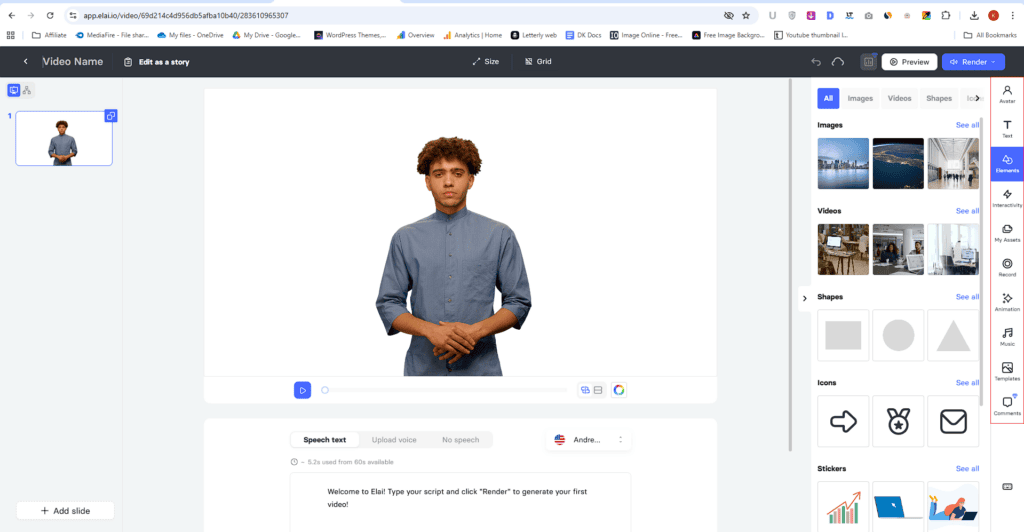
🧩 Editing Feels Flexible (Not Limiting)
On the right side, you get all your tools:
- Avatars, text, images, videos
- Shapes, icons, stickers, GIFs, Lottie
This stood out to me.
Compared to most tools, Elai gives you more creative freedom, not less.
⚡ Built-In Interactivity:
You can add Questions (text or image-based), Buttons, YouTube or website links.
So your video isn’t just passive—it becomes interactive.
🎬 Smooth Transitions & Media:
You get basic animations like: Fade in, Fade from left/right/top/bottom
Plus:
- Stock music or upload your own
- Screen recording option
- Upload your own assets
Everything you need is already here.
🧠 How It All Comes Together
- Slides on the left
- Video preview in the center
- Script (speech text) below
Paste your script.
Choose a voice (I kept “Andrew”—works well).
Click Render.
That’s it.
✅ My Take
If you want speed → use templates
If you want control → start blank
Either way, Elai makes video creation feel simple, not overwhelming.
And that’s what actually matters.
I give the script given below, generated the video, and honestly—you should watch it yourself.
I’m an AI avatar created with Elai, using a public avatar to bring this script to life.
What you’re hearing isn’t recorded—it’s generated, just like the videos you can create yourself.
At first glance, it’s impressive.
The avatar looks very close to human.
Facial expressions feel natural.
Body movement is smooth and believable.
But then… you notice it.
⚠️ The Lip-Sync Issue (Hard to Ignore)
The lip-sync is off. Not slightly—noticeably off.
And once you see it, you can’t unsee it.
The words don’t match the mouth movement properly.
There’s a clear disconnect between voice and visuals.
🤔 Why This Matters More Than You Think
Viewers naturally look at the lips when someone speaks.
That’s how we process speech.
So even if:
- The face looks realistic
- The expressions feel right
- The body movement is smooth
It still breaks the experience.
Because the core element—speech—doesn’t align.
🎯 My Honest Take
This is where Elai struggles.
The avatar looks human, yes.
But if the lip-sync isn’t convincing, everything else loses impact.
For my audience, I wouldn’t recommend using it in its current state for content where realism matters.
Because in the end, if the mouth doesn’t match the voice…
the illusion falls apart.
AI Storyboard
The AI Storyboard feature is actually one of the easiest ways to create videos in Elai.
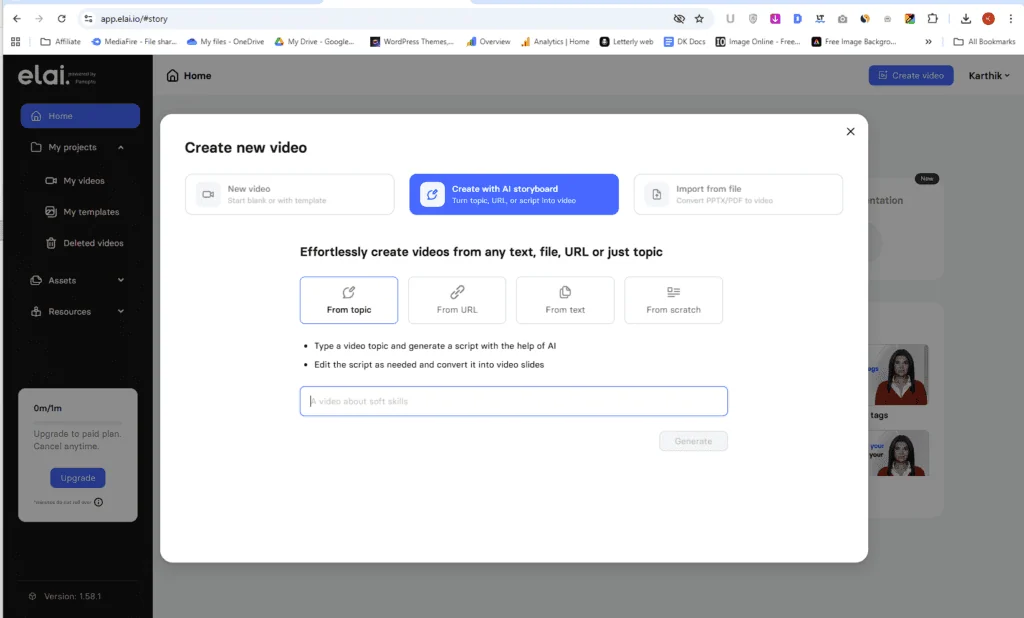
You can start with:
- A topic
- A text file
- Or even a URL
It generates a script for you, which you can edit and instantly turn into video slides.
Simple. Fast. Beginner-friendly.
Start with an Avatar
Elai gives you two types of avatars:
- Standard avatars → included in the $23/month Creator plan
- Premium avatars → locked behind the $100/month Team plan
That’s a big jump.
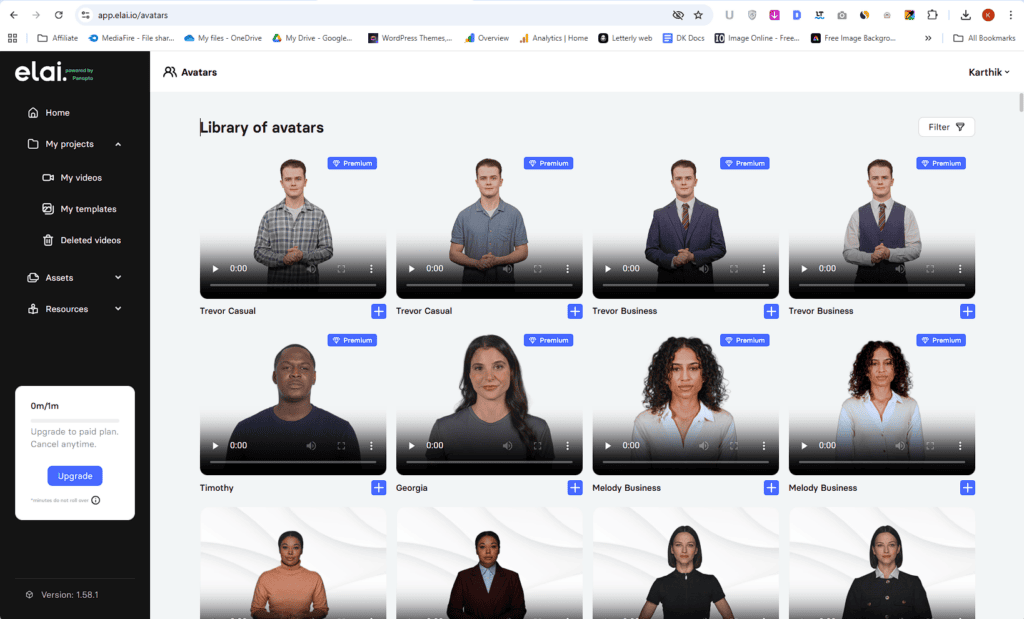
And if you’re thinking about creating your own avatar:
- Creator plan → ❌ Not allowed
- Team plan → ✅ Only 1 custom avatar
⚠️ The Problem: Value Doesn’t Match the Price
Here’s where I struggled.
The avatar already disappointed me with lip-sync issues.
So paying more for avatars—especially at this pricing—doesn’t feel justified.
For solo creators, this becomes hard to accept.
You’re paying more…
for something that isn’t fully convincing yet.
💡 A Better Alternative (Honestly)
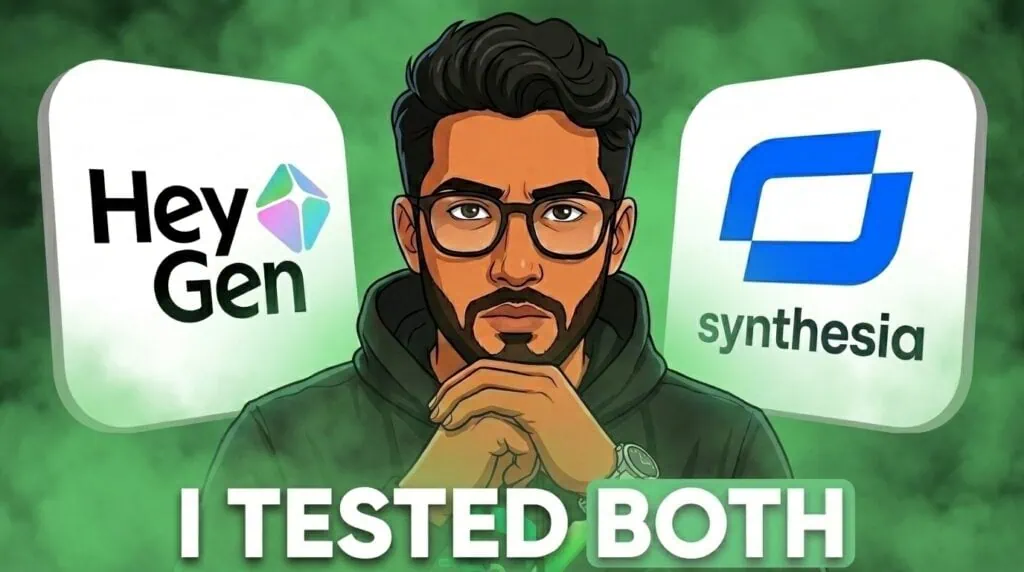
This is why I’d point you toward HeyGen.
Their Creator plan is around the same price (~$24/month), but you get:
- Unlimited avatar videos
- Premium features included
- Video translation
- Voice cloning
- Advanced AI tools
It feels more like a complete toolkit, not a restricted system.
when it comes to avatars and pricing, Elai feels restrictive. Especially if you care about value and long-term use.
For me, that’s a dealbreaker.
From Presentation
This is where Elai starts to feel like a serious tool—especially for educators and teams.
📊 Turn Presentations into Videos (Super Useful)
You can upload:
- PPT
- PPTX
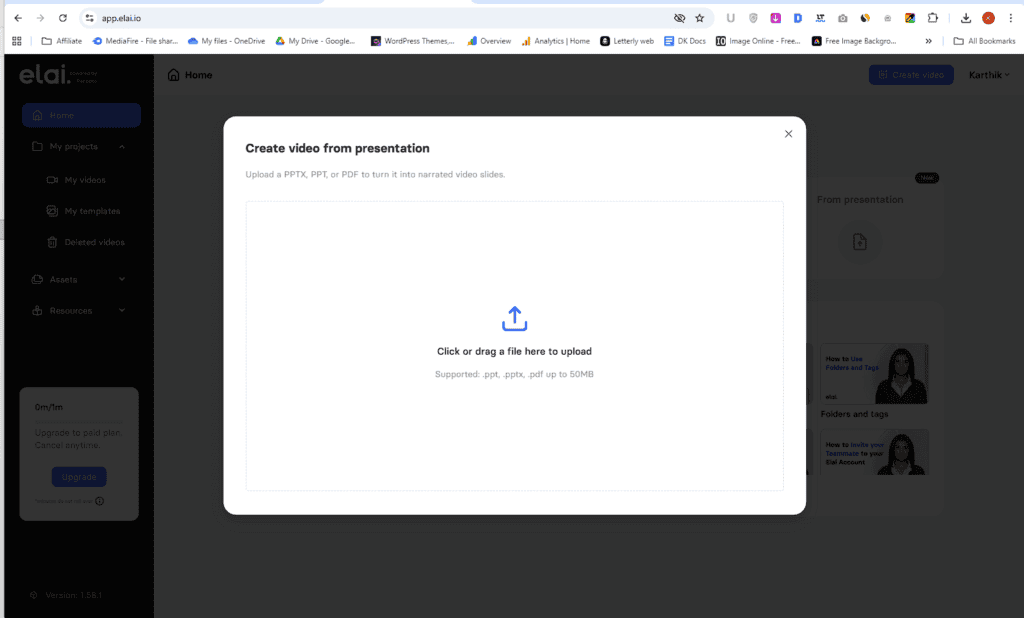
And instantly convert them into narrated video slides.
If you already create presentations, this is a huge time-saver.
No need to rebuild content from scratch.
Media Library (Simple but Helpful)
You can upload your own files inside the Assets – Media Library.
What I liked:
- You can organize everything into folders
- Keeps your projects clean and easy to manage
If you’re working on multiple videos, this saves time. No hunting for files again and again.
Brand Kits (Locked Feature)
There’s also a Brand Kit option.
This is where you can maintain:
- Consistent colors
- Fonts
- Brand identity across videos
Great for businesses or agencies.
👉 But again, it’s only available in the Team plan.
So if you’re on the Creator plan, you won’t get access to it.
Voice Cloning (High Potential)
This feature is interesting.
You can clone your own voice and reuse it across videos.
- Supports 75+ languages
- Needs just 3–5 minutes of clean audio
- Lets you sound consistent across content
For creators building a personal brand, this can be powerful.
The features themselves? Solid.
But there’s a pattern:
- Useful tools
- Locked behind higher plans
So while Elai shows strong potential…
access to that value depends on how much you’re willing to pay.
Elai.io Pros and Cons
What I Liked (Pros)
What Could be improved (Cons)
Elai Pricing & Plans (2026)
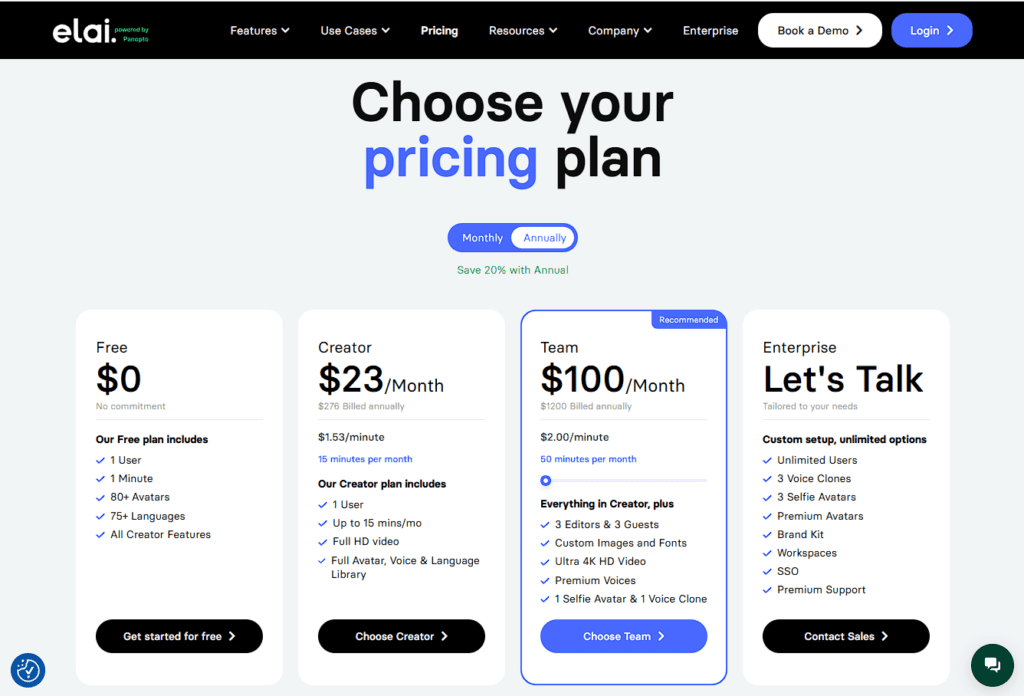
💸 Free Plan ($0)
You get:
- 1 user
- 1 minute of video
- 80+ avatars, 75+ languages
Good for testing. Not useful for real work.
🧑💻 Creator Plan ($23/month)
- 15 minutes/month
- ~$1.53 per minute
- Full HD + avatar & voice library
This is the entry-level paid plan.
But 15 minutes runs out fast if you create regularly.
👥 Team Plan ($100/month)
- 50 minutes/month
- ~$2 per minute
- Premium voices, 4K video
- 1 voice clone + 1 custom avatar
- Multiple users
This is where most advanced features unlock.
👉 But notice this:
The cost per minute actually increases compared to Creator.
🏢 Enterprise Plan
Custom pricing with:
- Unlimited users
- More avatars, voice clones, brand kits
Built for companies, not solo creators.
Elai charges based on video minutes, not usage freedom.
So:
- More videos = more cost
- Key features = locked in higher plans
At $23/month, you only get:
- 15 minutes of video per month
- No custom avatar
- No voice cloning
That’s the problem.
If you’re a YouTuber, content creator, or solopreneur… 15 minutes is gone in no time.
And the features you actually want? Locked behind the $100/month Team plan.
To get things like: Custom avatars, Voice cloning, Advanced features, You’re forced to upgrade.
It doesn’t feel like scaling. It feels like paying extra for essentials.
🔄 A Better Value Alternative
This is why I’d lean toward HeyGen.
For almost the same price (Creator Plan~$24/month), you get:
- Ultra-realistic avatars
- Unlimited videos
- Voice cloning
- Video translation
- AI image & video tools
It feels like a complete toolkit, not a restricted plan.
✅ My Take
Elai might work for light or occasional use.
But for serious creators? It’s hard to justify the price.
You’ll hit limits quickly—and upgrading isn’t cheap.
Create studio-quality videos with AI avatars instantly eliminating filming costs, saving time and scaling effortlessly
Final Thoughts: Is Elai.io Worth It?
Honestly? For most creators — no, it’s not worth it right now.
Elai works if you’re a business, team, or educator who needs quick AI videos without caring too much about perfect realism. It’s simple, fast, and the template-based workflow does save time.
But if you’re a YouTuber, solo creator, or someone serious about video quality — this will frustrate you.
The biggest strength?
👉 Fast video creation without filming.
The biggest weaknesses?
👉 Poor lip-sync and restrictive pricing.
Those two alone break the experience.
You’re paying monthly, but still limited by minutes. And key features like voice cloning and custom avatars are locked behind expensive plans.
Meanwhile, tools like HeyGen offer better realism and more value at similar pricing.
✅ Final Recommendation
Skip it for now—unless you just need simple, low-stakes videos and can ignore realism issues.
Real User Reviews & Feedback
Trustpilot
G2
Positive Stories
Most users say the same thing after trying it—you go from text to a complete video in minutes, without touching a camera or editing timeline. That speed and ease genuinely feel like a shortcut to creating content at scale
negative Stories
But then the cracks show—users repeatedly point out that avatar realism, especially lip-sync and natural expression, still feels off, which breaks immersion and makes videos less convincing. This is something Elai seriously needs to improve.
Elai.io Alternatives
Elai falls short for realistic videos due to poor lip-sync and restrictive pricing.
Here are better alternatives worth exploring:
👉 Check out my best AI video generator tools list to find the top picks for your needs.
Most of these tools offer free trials or demos, so you can test them risk-free before committing.
FAQs – Discover Answers Readers usually Search
After testing Elai.io, one thing is clear—it’s built for speed and simplicity. You can create videos quickly, even as a beginner. But the trade-offs are real. Limited minutes, locked features, and lip-sync issues can affect the overall experience. It’s not a bad tool, but it’s not for everyone either. Your decision really depends on how serious you are about video quality and scale.
I’m curious—have you tried Elai.io or any AI video tools before? What was your experience like?
You might Also Like this:
Elai.io
3.6/5⭐
🔹Turn text into avatar videos
🔹Create videos without filming
🔹Generate videos faster at scale
🔑Feature:
⚒️Ease of Use:
💰Pricing:
🤝Support: